The Employee section under Staff in eHubt allows you to manage your team efficiently. From adding new employees to viewing profiles, assigning departments, or printing ID cards — this module gives you full control over your staff database.
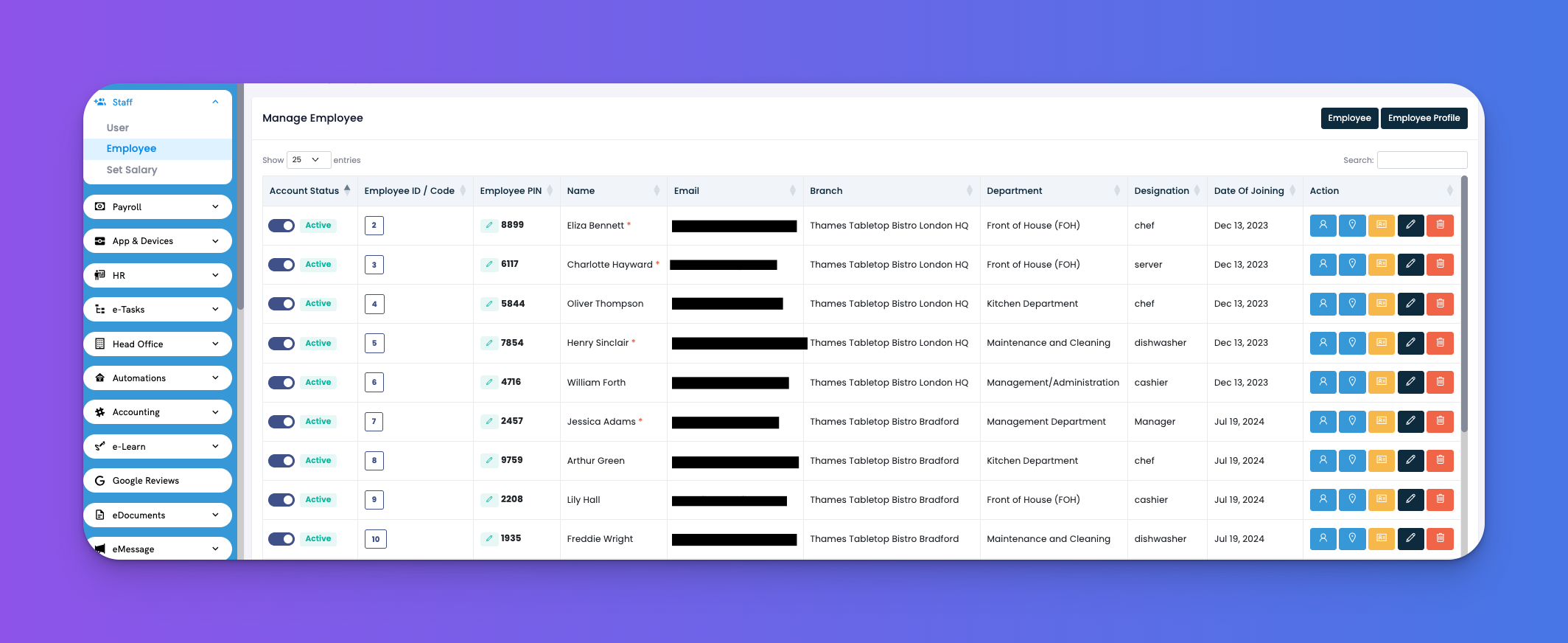
Navigate to Staff → Employee
This screen gives you a complete overview of all employees and their basic information.
Account Status – Shows if an employee is currently Active or Inactive
Employee ID / Code – Unique ID for internal use
Employee PIN – Used for attendance or login
Name – Full name of the employee
Email – Contact and login email
Branch – The assigned store or business unit
Department – Where the employee works (e.g., Kitchen, FOH)
Designation – Job title like chef, server, cashier, etc.
Date of Joining – Employee’s start date in the company
Each employee has a row of quick action buttons on the right:
🧑💼 Login Details
View the employee's profile and login/account info
→ Shows contact, branch, role, and permissions
📍 Location
View the employee’s current or assigned work location
🪪 Employee Card
Generate a printable ID card for the employee
→ Useful for physical badges or internal access passes
✏️ Edit Profile
Update employee details like role, branch, email, or PIN
🗑️ Delete
Permanently remove the employee from the system
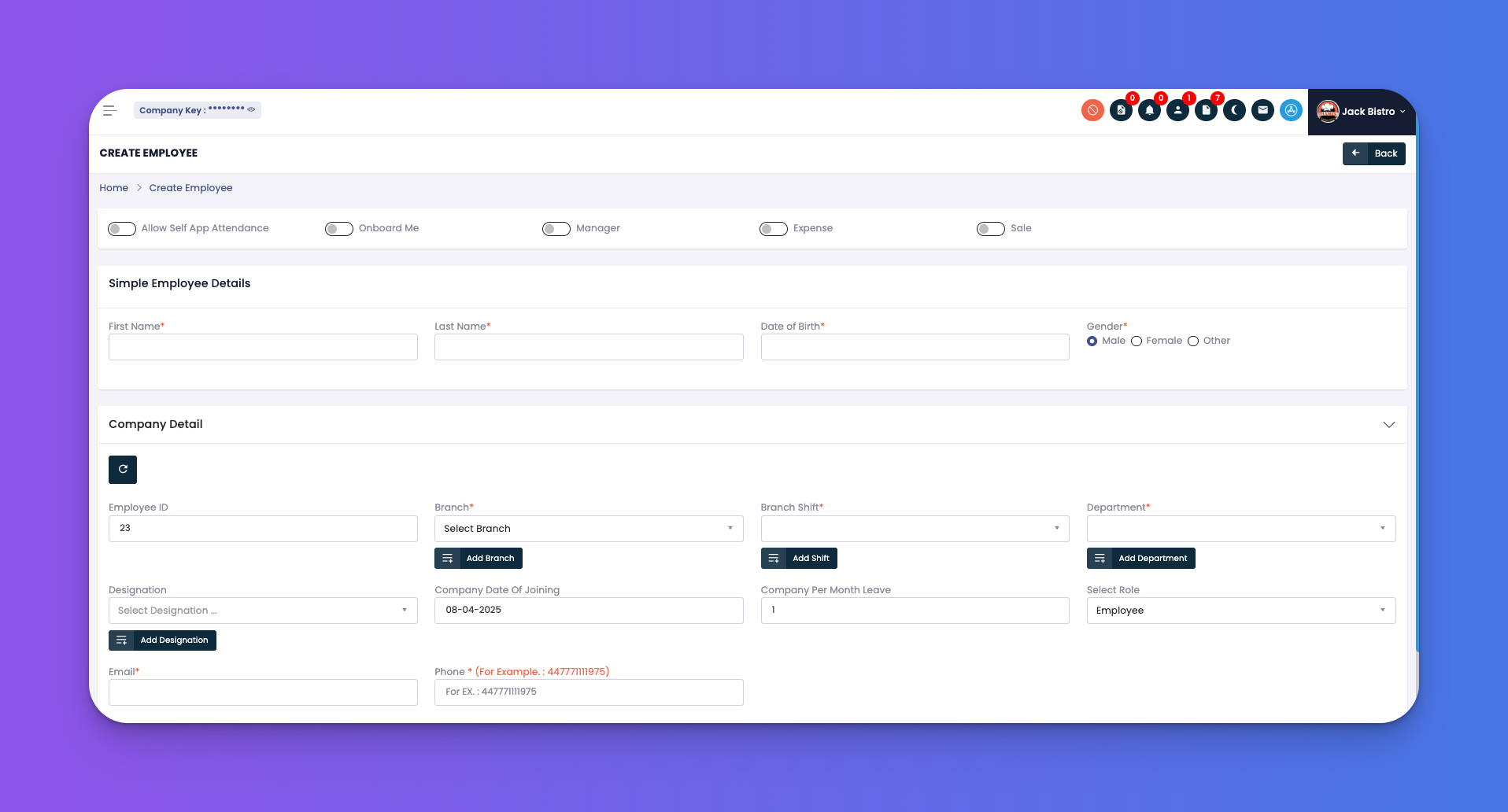
Click the Create button at the top-right of the Employee screen.
This opens a form where you can fill in:
First Name / Last Name
Date of Birth
Gender
Employee ID / PIN
Branch & Shift
Department
Designation
Date of Joining
Monthly Leave Quota
Select Role (Employee, Manager, etc.)
Email & Phone Number
Once done, click Create to save the new employee.
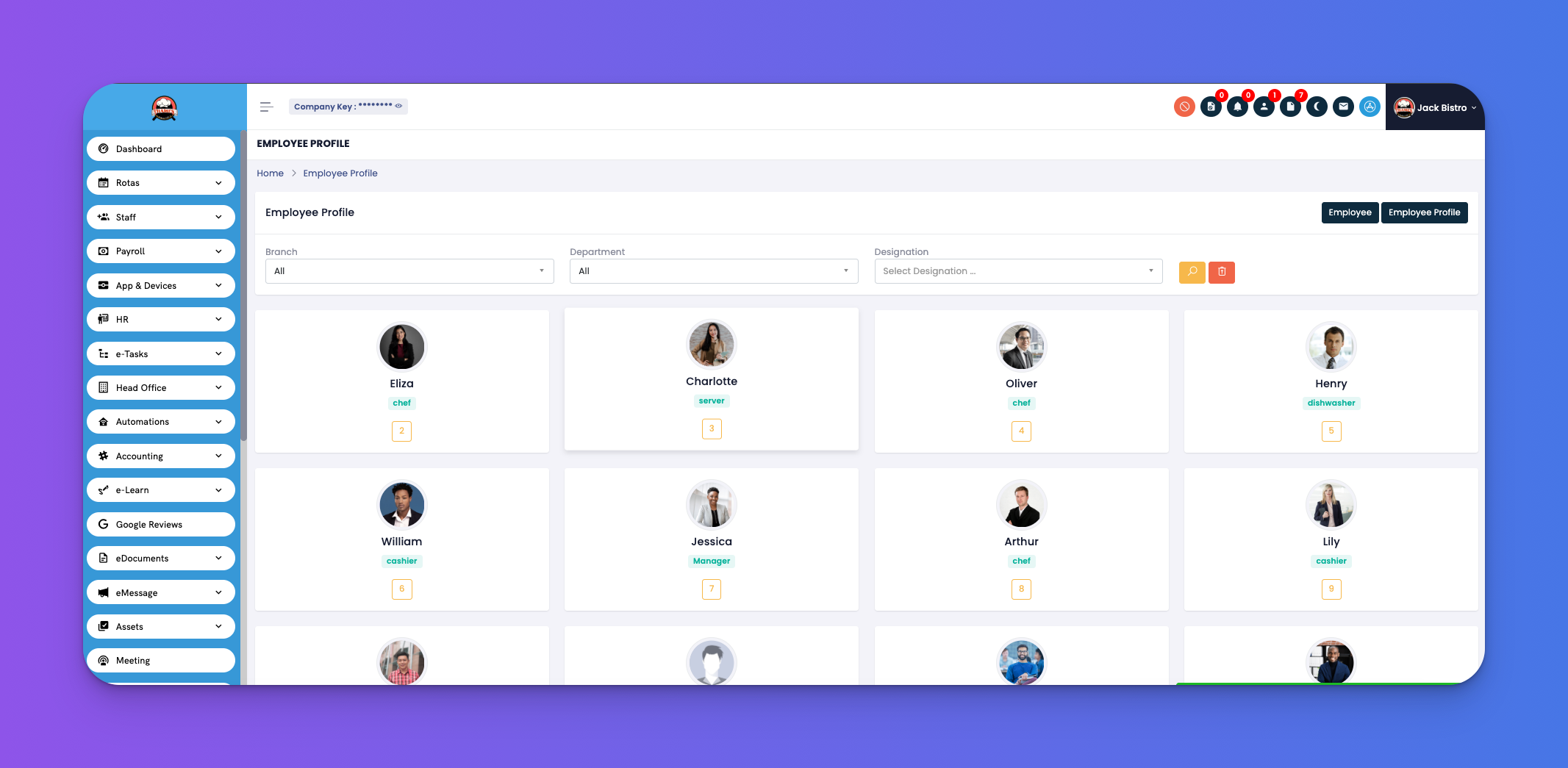
Keep PINs unique to avoid confusion with attendance or login.
Use roles smartly to control system access for each employee.
Print employee cards for branches that require physical ID.
Use the Import CSV option to bulk upload staff details if you have many employees.