The Manage Termination module allows HR teams to formally record and process employee exits due to resignation, health issues, misconduct, or other defined reasons.
Use this section to:
Record terminations with clear justification
Track notice and final working dates
Maintain professional documentation for HR audits or reviews
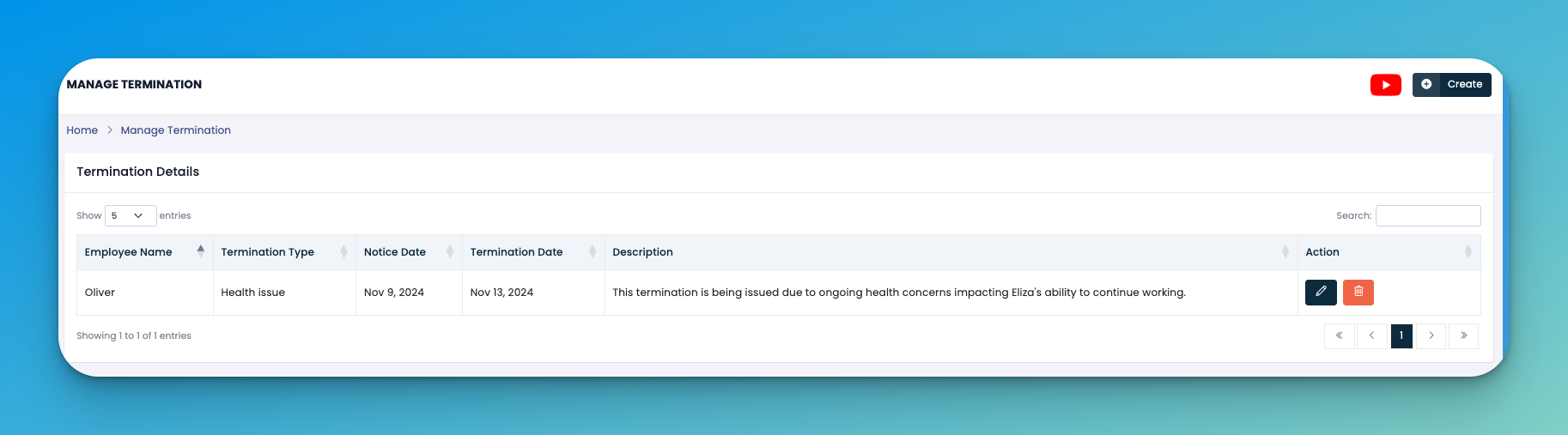
Click on the ➕ Create button to initiate a termination entry.
Fill in the following details:
👤 Employee Name – The individual being terminated
🔄 Termination Type – The reason (e.g., Health Issue, Resignation, Misconduct)
📅 Notice Date – When the notice was issued
📆 Termination Date – Final working date
📝 Description – Details explaining the termination circumstances
Click Save to confirm the entry.
✏️ Edit – Update the termination record if needed.
🗑️ Delete – Remove an incorrect entry.
Use clear and concise descriptions to avoid misinterpretation.
Document any supporting HR discussions or documentation outside the system.
Always ensure compliance with company and local legal policies before termination.
👇👇
[Terminations ]
Q: Can a terminated employee be reinstated later?
A: You would need to rehire them via the onboarding process, as terminated employees are deactivated.
Q: Is this connected to payroll or final settlements?
A: Not directly. Ensure termination details are cross-checked with payroll to handle dues and benefits manually if needed.