Maintain a fair and transparent workplace by tracking and resolving complaints raised by employees through this module.
The Manage Complaint section allows HR to:
Record formal complaints from employees
Keep track of the parties involved
Document steps taken toward resolution or escalation
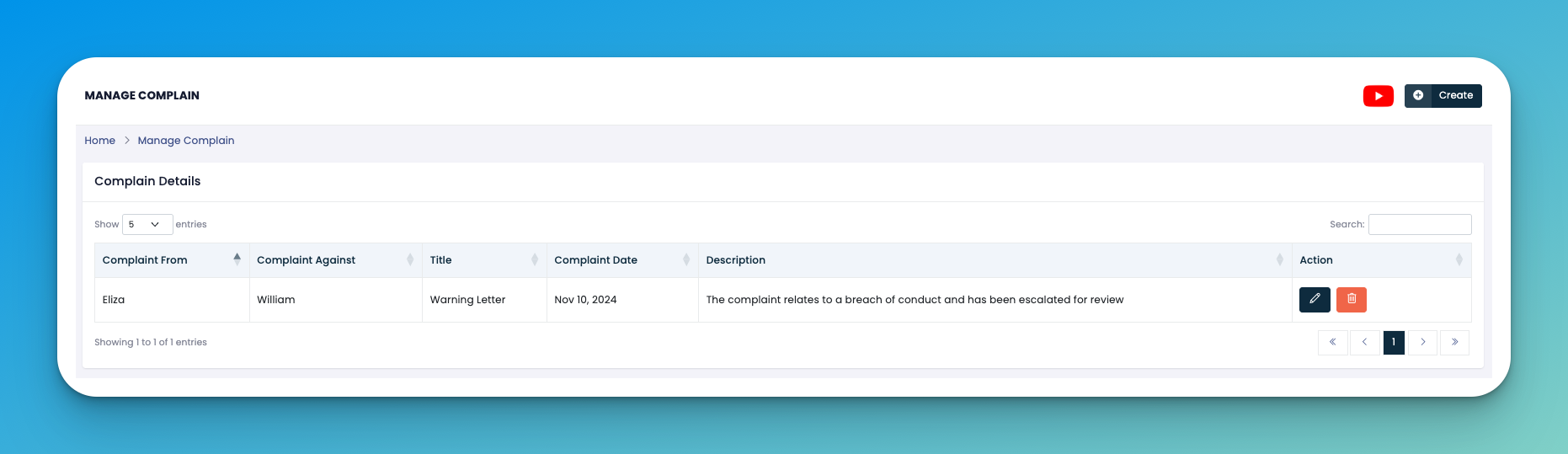
Click on the ➕ Create button to add a complaint.
Fill in the following details:
👤 Complaint From – The employee raising the issue
⚠️ Complaint Against – The employee the complaint is about
🏷️ Title – Nature of complaint (e.g., Warning Letter)
📅 Complaint Date – The date the complaint was filed
📝 Description – Reason or details about the incident
Click Save to register the complaint.
✏️ Edit – Make changes to an existing complaint.
🗑️ Delete – Remove a complaint if it was added in error or withdrawn.
Keep complaint titles consistent to help with filtering (e.g., "Conduct", "Harassment", "Attendance").
Ensure sensitive descriptions are handled professionally and remain confidential where necessary.
👇👇
[Complaints]
Q: Can a complaint be edited after being reviewed?
A: Yes, if it hasn't been closed formally. However, use this cautiously and always maintain version history manually if needed.
Q: Is the complainant notified of changes?
A: Currently, notifications are not triggered automatically, but you can use internal messaging or notes for communication.