Celebrate employee growth and career progression by logging promotions with role transitions and recognition notes.
The Manage Promotion section enables HR teams to:
Officially document role upgrades
Maintain records for internal career tracking
Acknowledge and recognize performance-based advancements
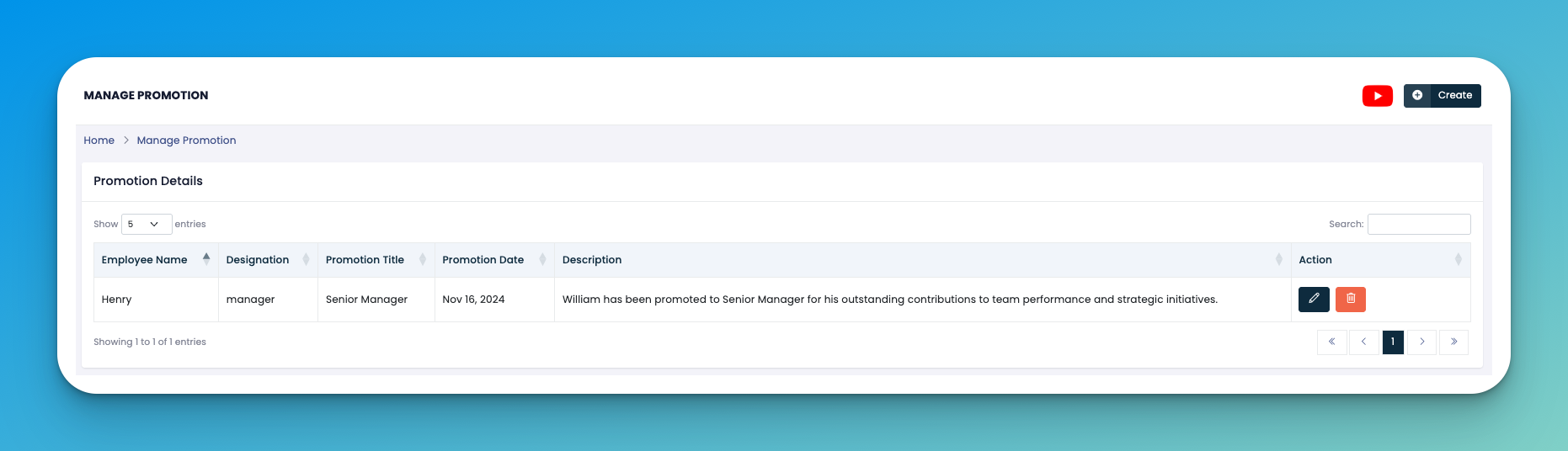
Click the ➕ Create button to add a new promotion entry.
Fill in the required details:
👤 Employee Name – Select the promoted team member.
🧾 Current Designation – Their previous job title.
🆙 Promotion Title – The new title (e.g., Manager → Senior Manager).
📅 Promotion Date – Effective date of the promotion.
📝 Description – Add performance-related remarks or reason for the promotion.
Click Save to finalize the update.
✏️ Edit – Modify promotion info.
🗑️ Delete – Remove a promotion record if added by mistake.
Use this log during performance reviews or audits to show employee development.
Keep descriptions brief but impactful to highlight value and contribution.
👇👇
[Promotion]
Q: Can I backdate a promotion?
A: Yes, you can select any past date as the effective promotion date.
Q: Can an employee have multiple promotions listed?
A: Yes. The system keeps a history of all promotion entries under the same employee profile.