The User Management section under Staff in eHubt gives you full control over users, roles, and tablet devices. You can manage employees, assign permissions by module, and track tablet users by branch.
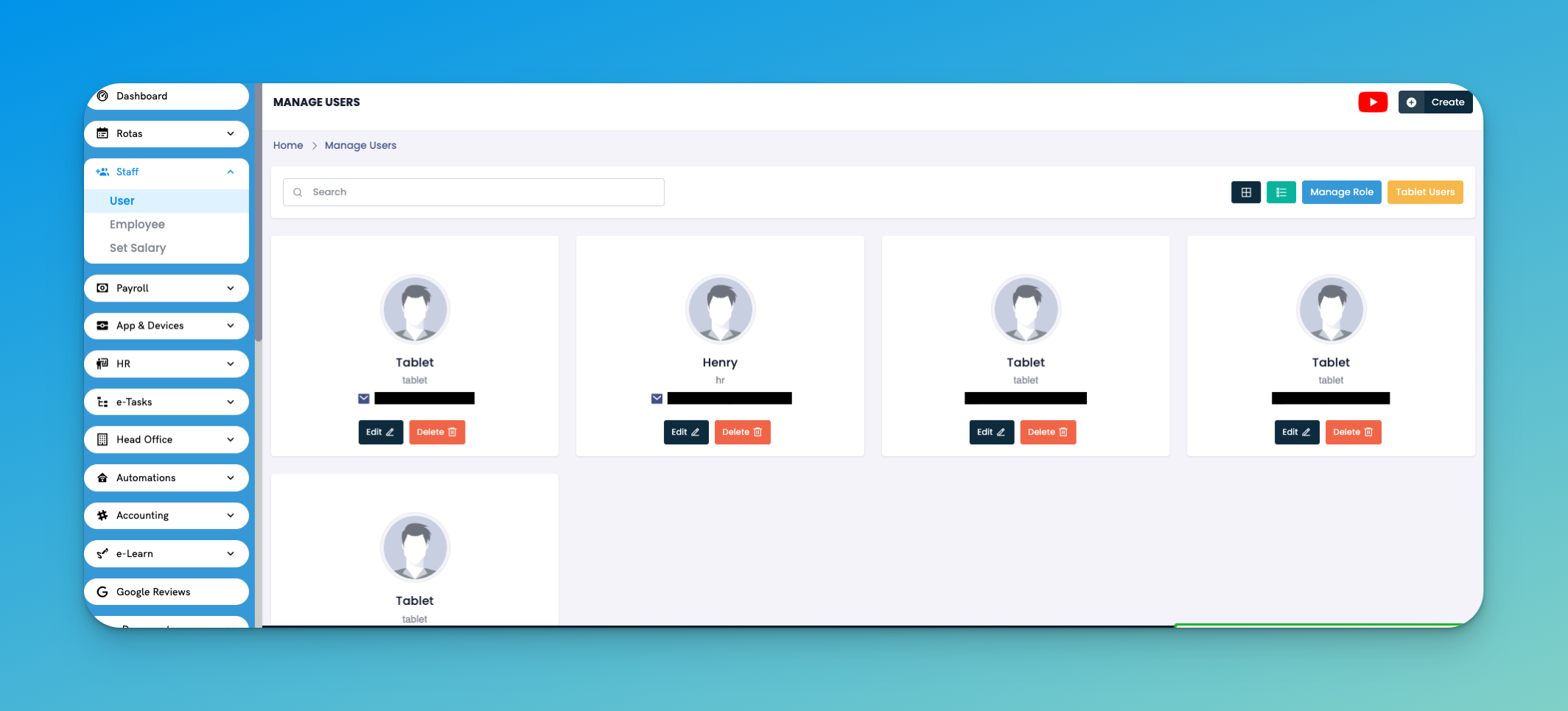
Navigate to Staff → User to:
See all current users (names, emails, usernames)
Edit user details or remove users
Search quickly by name or email
Actions:
Edit: Update name, role, or contact details
Delete: Remove inactive or duplicate accounts
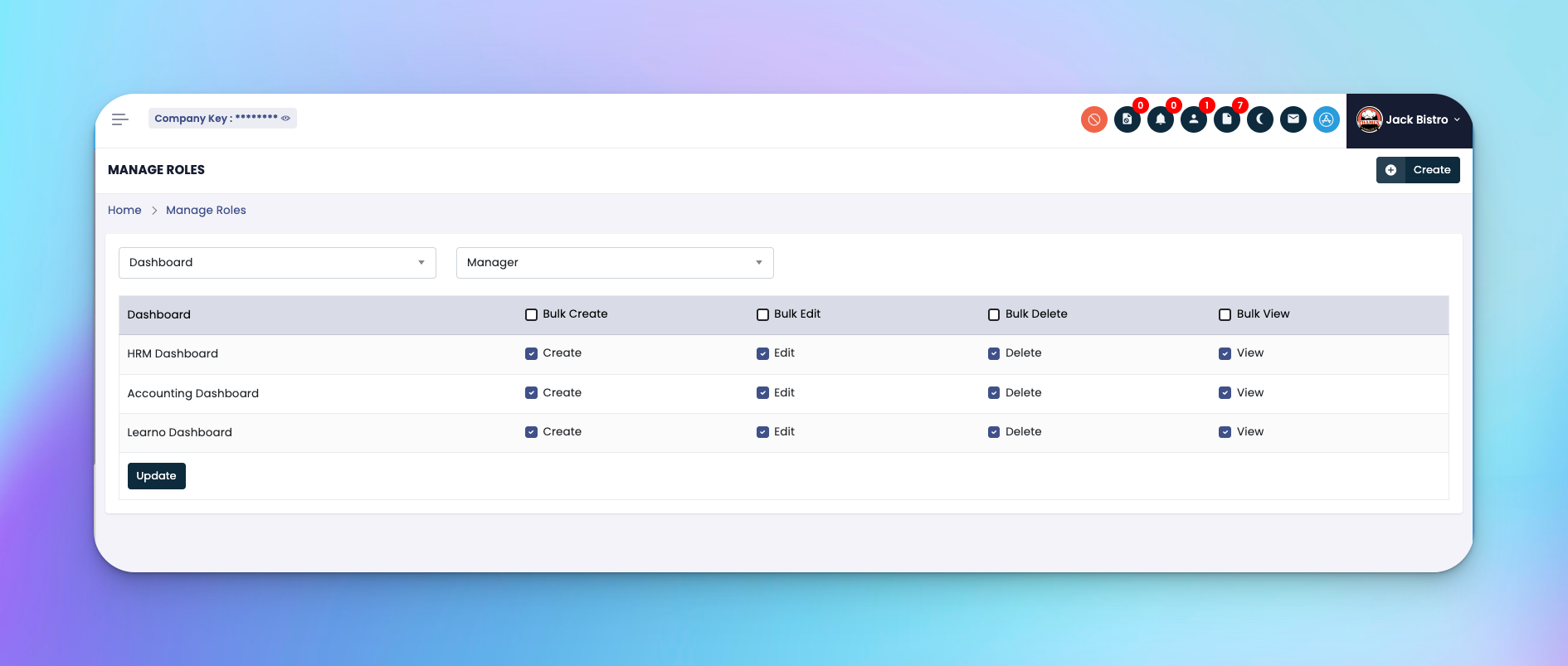
Click Manage Role to control what each role can access across modules.
Steps:
Select the Role (e.g., Manager, Supervisor, Staff)
Choose a Module (Dashboard, iRotas, Payroll, etc.)
Tick permission boxes:
Create
Edit
Delete
View
Bulk Actions (if needed)
Click Update to save role access
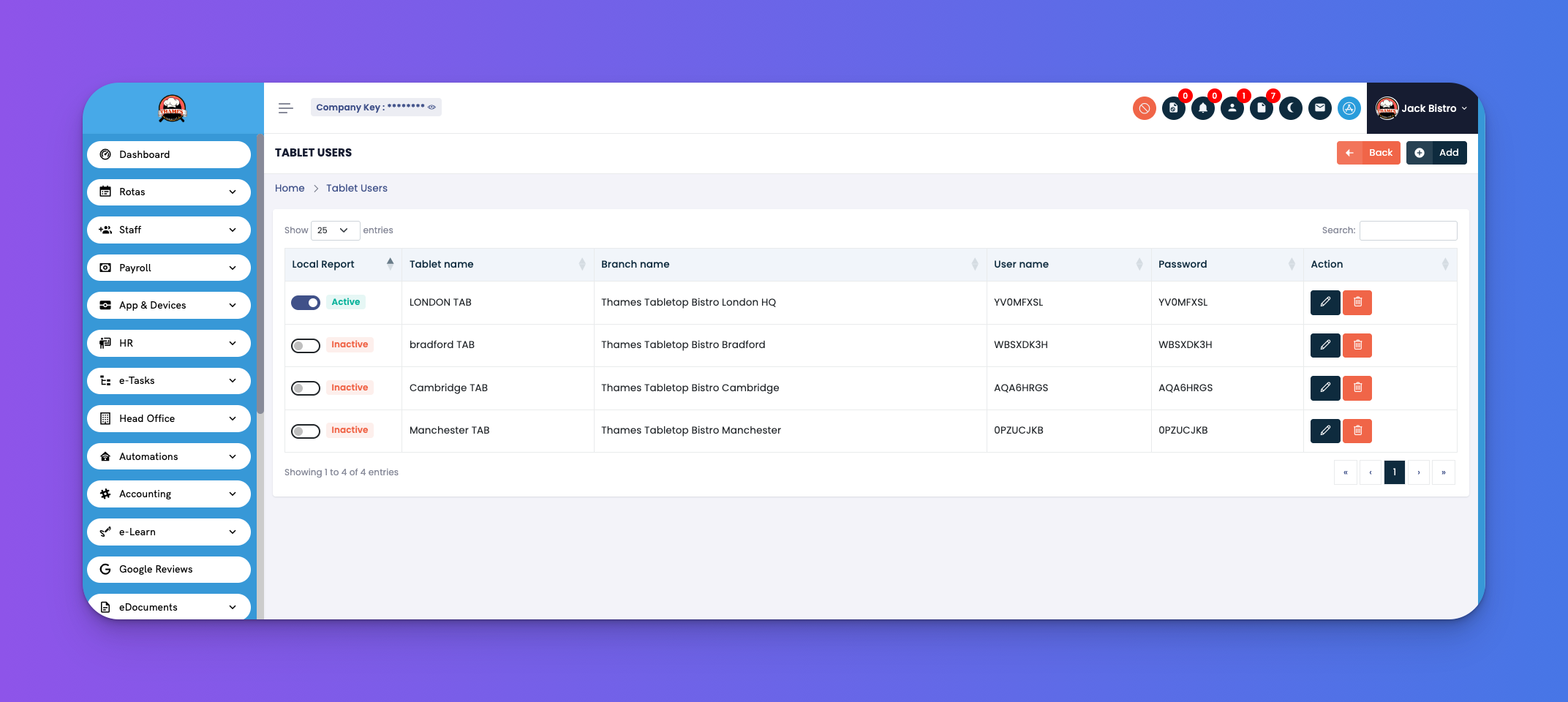
Go to Staff → User → Tablet Users to manage login accounts for each tablet device used by branches.
For each tablet:
Assign a tablet name
Connect it to a branch
Control access using the Active/Inactive toggle
Edit or delete credentials anytime
Columns Shown:
Tablet Name
Branch Name
Username / Password
Local Report toggle (for offline mode)
Actions (Edit/Delete)
Always assign least-privilege access to new users.
Rename tablet accounts to reflect store locations clearly (e.g., “London TAB”).
Deactivate tablets not in use to secure the system.