Track employee business travel effortlessly by logging trip details, locations, and visit purposes.
The Manage Trip section helps HR or Admins:
Maintain travel records for audits and planning
Keep visibility on which employees are offsite
Clarify trip objectives and duration in advance
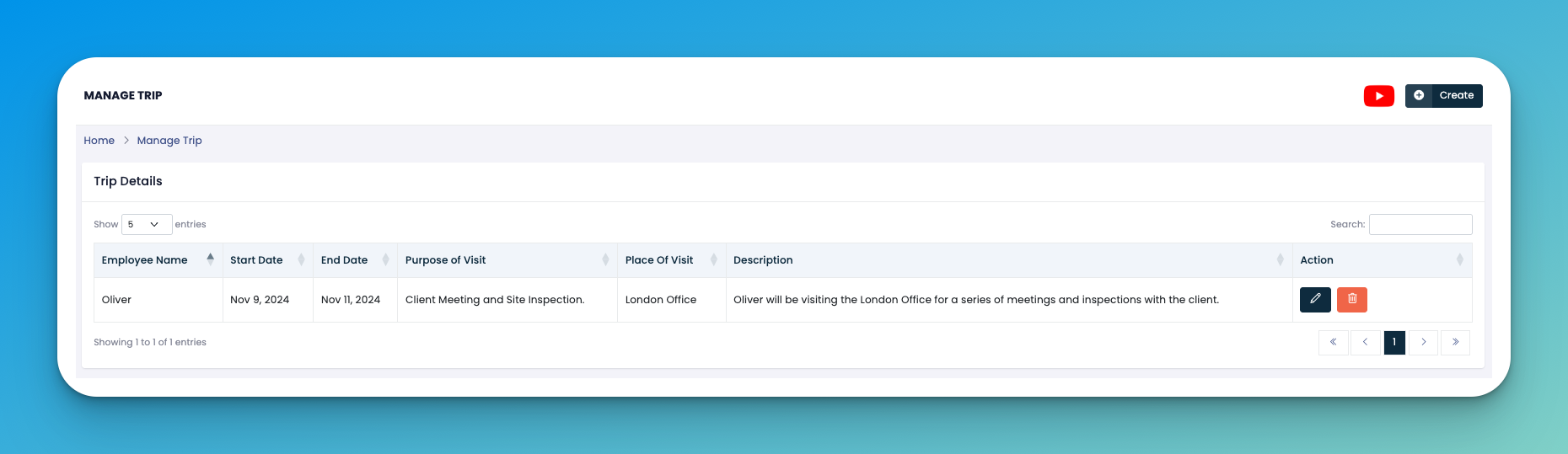
Click the ➕ Create button at the top right.
Fill in the following trip fields:
👤 Employee Name – Who is going on the trip.
📅 Start Date – When the trip begins.
📆 End Date – Expected return date.
🧭 Purpose of Visit – Business goal (e.g., client meeting, inspection).
📍 Place of Visit – Office or city being visited.
📝 Description – Add a summary of trip details or agenda.
Click Save to log the entry.
✏️ Edit – Update trip details if changes occur.
🗑️ Delete – Remove trip logs that are no longer needed.
Encourage employees to submit trip details in advance for coordination.
This section is useful for reporting out-of-office activities to department heads.
👇👇
[Trip]
Q: Can we upload trip documents or approvals?
A: Not at the moment, but you can add notes in the description for reference.
Q: How can we track employees currently on a trip?
A: Use the date range in exported data or apply filters in your reports module.