Keep a transparent and respectful offboarding process by recording all employee resignation requests in one central place.
The Manage Resignation page lets you:
Record resignation notice and actual leave dates
Add explanations for future reference or audits
Track departing employees cleanly and professionally
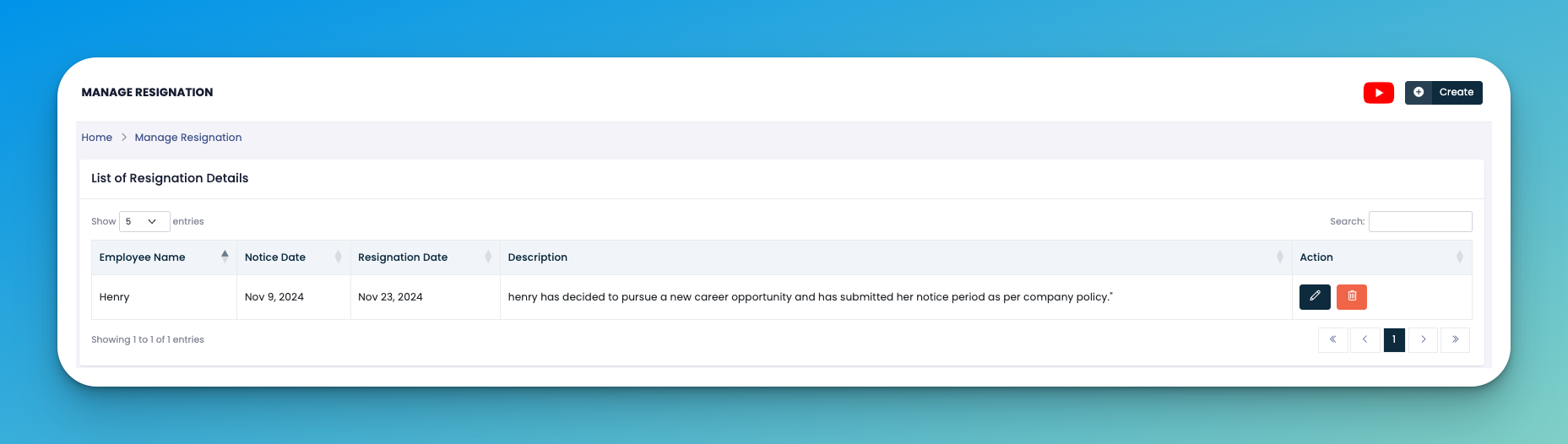
Click the ➕ Create button on the top-right.
Fill in the resignation form with the following:
👤 Employee Name – Who is resigning.
📅 Notice Date – When the resignation was submitted.
📆 Resignation Date – The last working date.
📝 Description – Reason or any explanation for the resignation.
Hit Save to record the entry.
✏️ Edit – Modify resignation details as needed.
🗑️ Delete – Remove a record if it was added mistakenly.
Always confirm resignations in writing from the employee before adding to the system.
Use the description box to clarify voluntary exits, career changes, or internal transitions.
👇👇
[Resignation]
Q: Can an employee rejoin after resignation is recorded?
A: Yes, but they will need to go through onboarding again unless you’ve enabled reactivation workflows.
Q: Can I filter resignations by department or date?
A: Use the search box or export to Excel for deeper filters and reporting.