Recognize and celebrate the hard work of your team! This section allows you to assign awards to employees, making appreciation part of your company culture.
Use the Manage Award page to:
Highlight achievements
Boost morale with recognition
Log performance-related awards and perks
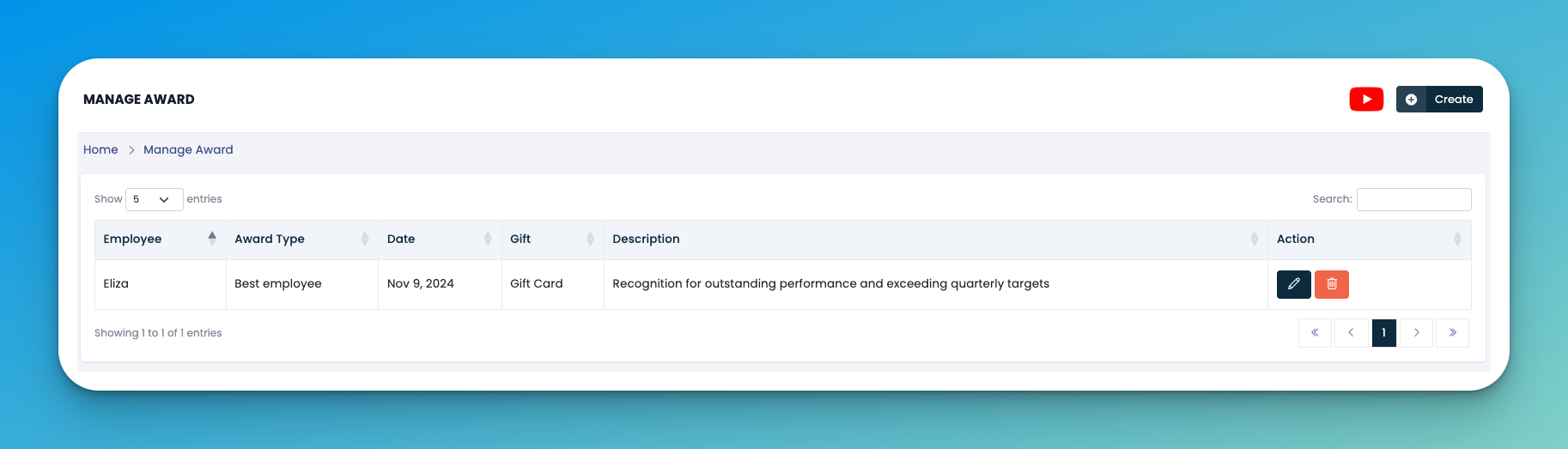
Click the ➕ Create button
Found at the top-right of the screen.
Opens the award entry form.
Fill in the following fields:
👤 Employee Name – Select from the dropdown.
🏷️ Award Type – Choose or define the type (e.g., Best Employee, Sales Star).
📅 Date – When the award was given.
🎁 Gift – Mention what was given (e.g., Gift Card, Voucher).
📝 Description – Why the award was granted (max impact story).
Click Save to register the award.
✏️ Edit – Update any details of an existing award.
🗑️ Delete – Remove an award record from the list.
Awards can be used during performance appraisals or posted in your internal announcements.
Keep descriptions clear — they help build transparency and boost team motivation.
👇👇
[Awards]
Q: Can I assign multiple awards to the same employee?
A: Yes, there is no limit. Each award will appear as a new entry.
Q: Can I print or export this list?
A: Currently, the export options are not available in this section, but you can take a screenshot or use your browser’s print function.