The Rota Forecasting feature in eHubt helps you predict staffing needs using real-time data like sales forecasts, labour costs, and even weather conditions. This ensures you're never under- or over-staffed — improving efficiency and reducing unnecessary payroll costs.
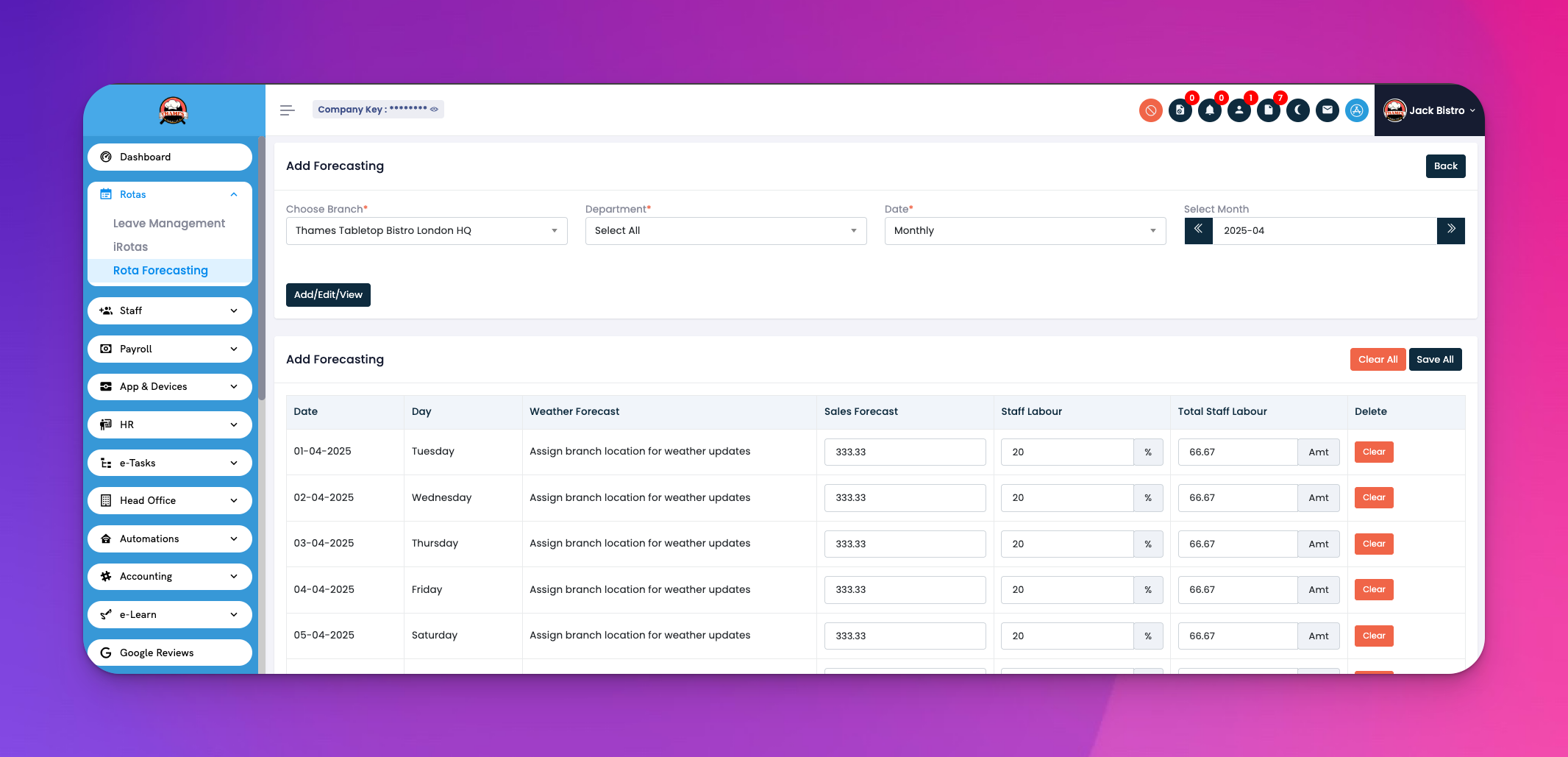
👉 Watch the full tutorial here:[Rota forecasting]
Sales Forecast per day
Staff Labour Hours (Planned vs Total)
Weather Forecast (auto-fetched by location)
Cost Calculations (based on hourly rate × hours)
Go to Rota Forecasting in the left-side menu.
Click Add Forecasting on the top right.
Select:
Branch
Department
Date range or month
Click "Add Daily View" to begin.
For each day:
Weather Forecast: Automatically pulled from your location (sunny, rainy, cloudy, etc.)
Sales Forecast: Enter expected sales (e.g., £313.33)
Staff Labour: Add expected staff count and total hours
System auto-calculates cost and difference
Use weather and past sales trends to fine-tune forecasts.
Adjust staffing levels proactively to avoid overstaffing during slow days or understaffing on busy ones.
Review the cost vs forecast difference daily to improve accuracy over time.
Click on any row to edit or clear data.
Click “Save All” to confirm updates across all days.
Each row in the forecasting table includes the following details:
Date – The calendar day you're forecasting for.
Day – Automatically displayed (e.g., Monday, Tuesday).
Weather Forecast – Pulled based on your branch's location (sun, rain, cloud).
Sales Forecast – Enter the expected daily sales total.
Staff Labour – Number of staff expected to work.
Total Staff Labour – Total planned hours for the team.
Cost – Automatically calculated based on wage rate × hours.