Keep track of asset maintenance activities, costs, and warranties in one place. This section allows you to view asset maintenance records, track costs, and add maintenance history for individual items.
👇👇
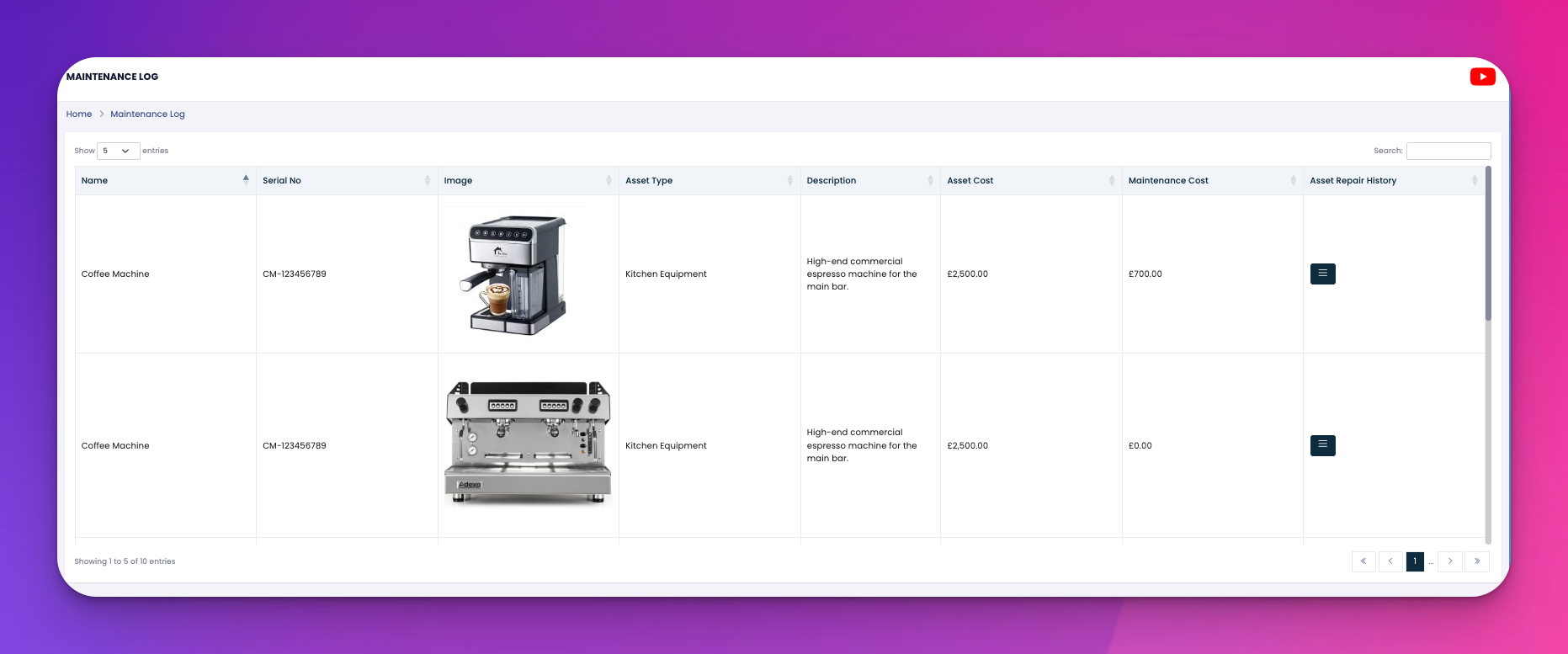
View a list of all assets with details such as image, serial number, asset type, description, cost, and current maintenance cost.
Instantly check the warranty status and see if repairs were recently logged.
You can record maintenance activity against any listed asset:
Click the menu icon (three stacked lines) in the “Asset Repair History” column.
Select View History to see existing logs or Add History to insert a new maintenance record.
Fill in:
Date
Cost
Remarks (e.g., "Warranty till Dec 2026")
Optional: Upload attachments (invoices, reports, etc.)
Name: Asset name (e.g., Coffee Machine)
Serial No: Unique tracking ID
Image: Visual reference of the asset
Asset Type: Pulled from the linked asset entry
Description: Asset usage or specifications
Asset Cost: Purchase cost
Maintenance Cost: Total expense from logged repairs
Repair History: Click to expand maintenance logs
⚙️ Log maintenance regularly to detect patterns and prevent costly downtime.
📎 Attach invoices or notes to keep your asset history complete.
⏱️ Monitor warranty periods to avoid paying for covered repairs.