The Add Asset Item form allows you to manually register individual assets within your organization. This is ideal for tracking anything from kitchen appliances to office tech.
👇👇
[Asset]
Select Branch – Choose the location this asset belongs to.
Asset Name – A simple name like Microwave or POS System.
Asset Serial No – Optional but helps in maintenance or verification.
Asset Image – Upload a clear picture for reference.
Asset Type – Pick from your predefined types (like Kitchen Equipment).
Asset Description – Mention purpose or notes about the asset.
Asset Cost – The price paid (₤).
Asset Supplier Name – The provider you bought it from.
Warranty – Select a warranty expiry date.
Support Email – Contact in case of issues or warranty claims.
Support Phone – Support team’s phone number for direct contact.
Go to Assets → Create.
Fill in all required fields (marked with *).
Click Submit to save.
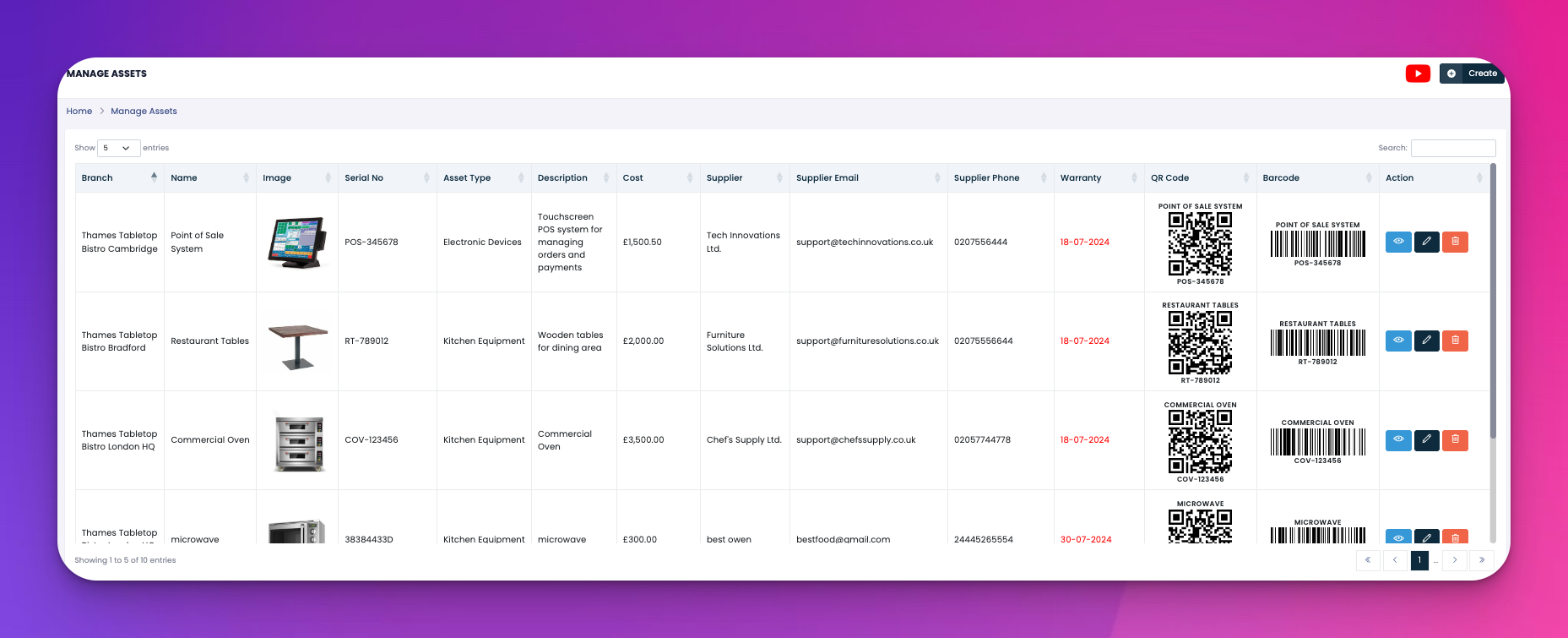
The item will now appear in the main asset listing, complete with barcodes and QR codes automatically generated.
Q: Can I add items without a serial number or image?
A: Yes, those are optional but recommended for tracking and visuals.
Q: Can I change the warranty later?
A: Yes, you can edit the asset anytime from the Assets list view.
Q: What if I don’t see my asset type?
A: Head to Asset Types first to create it, then return here.