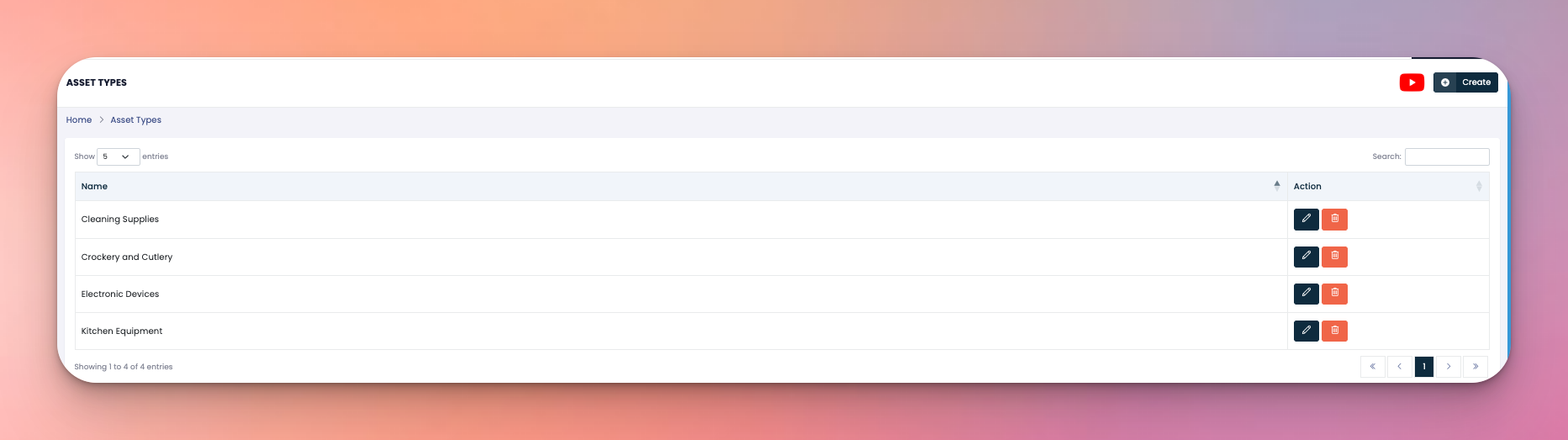
The Asset Types section is where you create and manage categories such as Cleaning Supplies, Kitchen Equipment, or Electronic Devices. These categories are used to classify assets in the system — you’re not adding actual items here, just the types.
👇👇
[Asset Types]
Create new asset types to organize your inventory better.
Edit existing asset type names.
Delete unused or incorrect asset types.
Name – The category label (like Cleaning Supplies, Crockery, etc.)
Action Buttons:
✏️ Edit – Change the name of the asset type.
🗑️ Delete – Remove the asset type from the system.
Click the Create button in the top right corner.
Enter the name of the asset type.
Click Submit to save.
Q: Can I add asset items from this section?
A: No — this section is only for adding categories, not actual asset items.
Q: Can asset types be renamed later?
A: Yes, just click the ✏️ icon to edit the name.