The main eDocuments dashboard provides real-time insights into the status of all uploaded documents.
[Dashboard ]
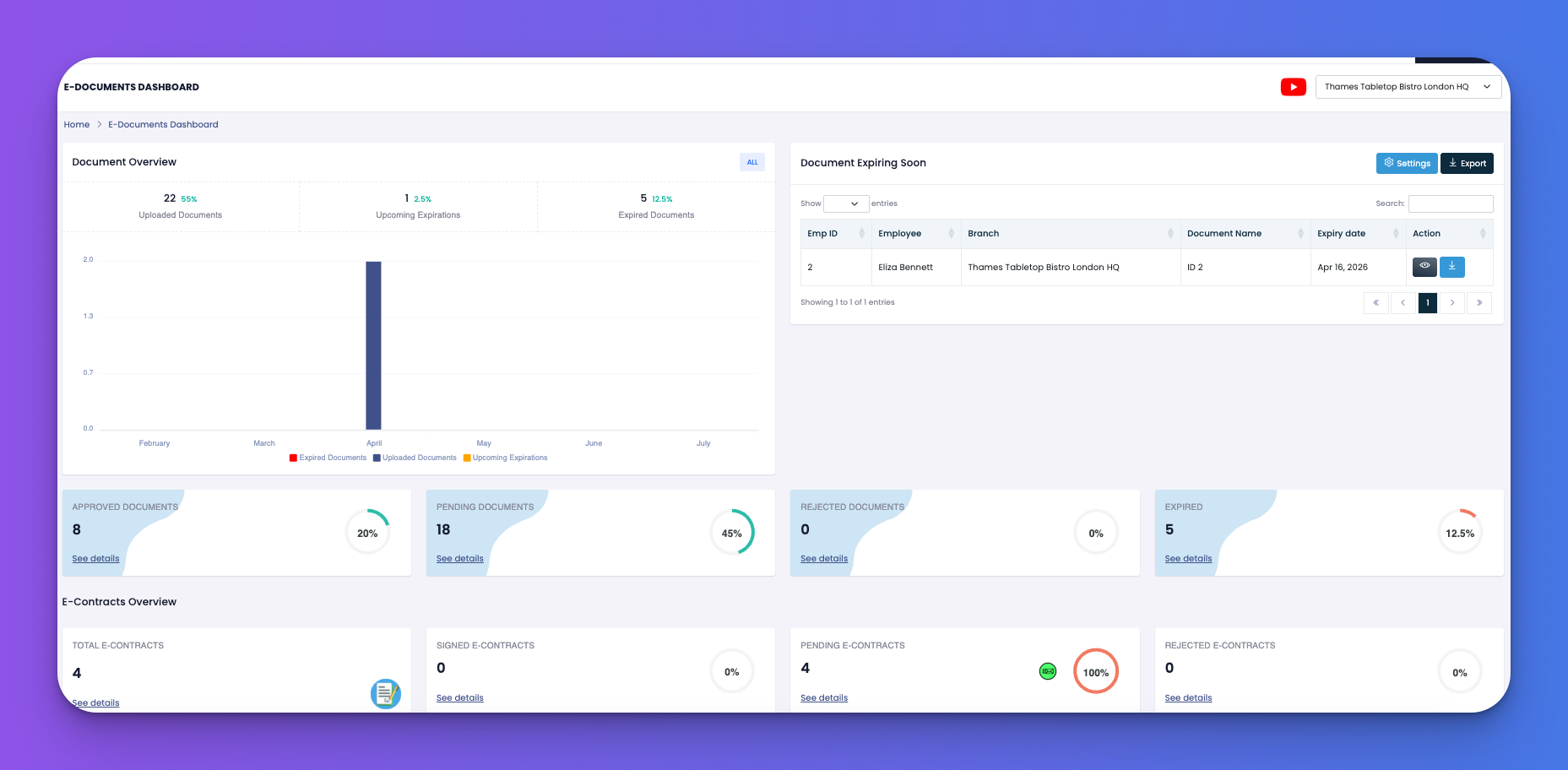
Total Uploaded – All stored documents across the platform
Expiring Soon – Documents approaching their expiry date
Expired Documents – Items that are already out of date
Recent Documents List – Table view with:
Employee Name
Document Name
Expiry Date
Status (e.g., Valid, Expired)
View / Download buttons
Set up automated reminders to ensure you never miss an important expiry date.
Go to the Settings (gear icon)
Choose channels to send alerts:
Email ✉️
SMS 📱
In-App Notification 📲
Toggle when reminders are sent:
120 / 90 / 30 / 7 / 2 days before expiry
2 days after expiry (for follow-ups)
Add additional recipients (e.g., HR, admin) to receive alerts.
Use the Send Now button for instant notifications.
Upload key docs like Visas, IDs, Proof of Work, or Licenses here
Turn on multiple reminder timings for higher-risk documents
Always include a backup email for critical alerts
Q: Can I track expired documents across all branches?
A: Yes, the dashboard shows a global view of expired or expiring files.
Q: Who gets the reminders?
A: Admins, document owners, and any extra recipients you’ve manually added.
Q: Can I export document records?
A: Yes, use the export button on the dashboard to download data in Excel.