The Certificates section allows you to create, manage, and assign learning certificates to your team upon course completion. This helps track training achievements and ensures recognition is properly documented.
👇👇
[Certificates]
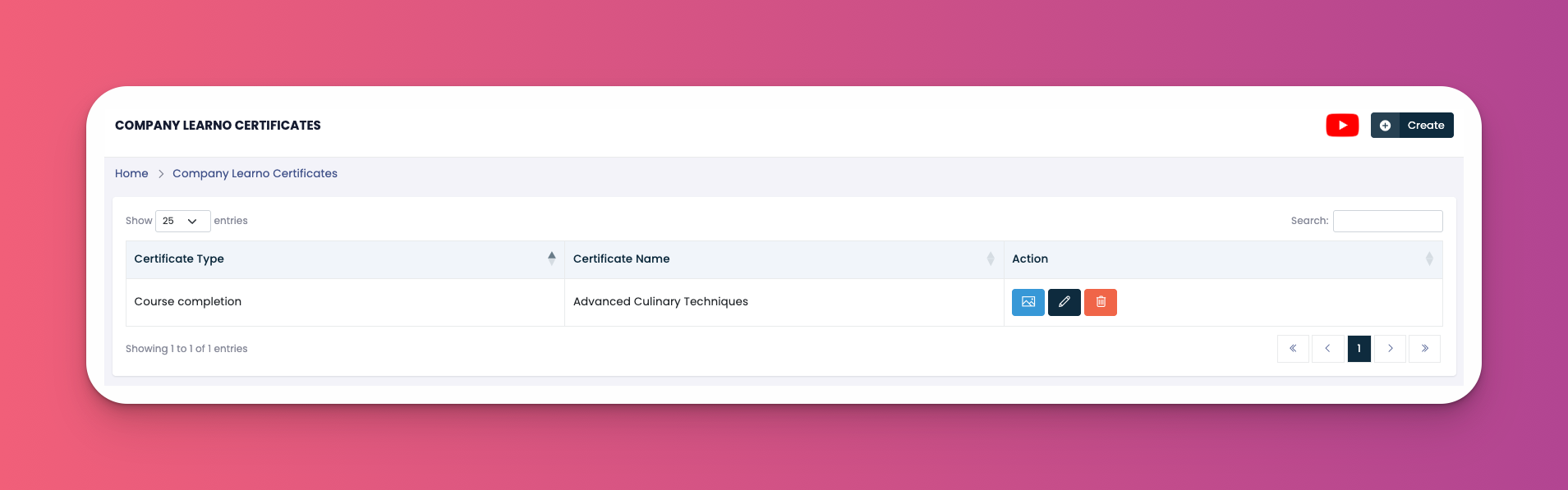
Go to: e-Learn → Certificates
Certificate Type – Currently supports "Course Completion"
Certificate Name – Title of the certificate (e.g., Advanced Culinary Techniques)
Actions –
🖼️ Preview
✏️ Edit
🗑️ Delete
Click the Create button (top right)
Fill in the following:
Select Type – Choose "Course Completion"
Title – Enter the name of the certificate
Background Image – Optional upload for certificate background
Text – Customize certificate content using available placeholders:
Student Name: [student]
Course Name: [course]
Grade: [grade]
Certificate ID: [certificate_id]
Date: [date]
Instructor Name: [instructor_name]
Duration: [duration]
National ID: [national_id]
Click Submit to save
✅ Tips
Use dynamic placeholders to automatically populate certificate fields
Keep your certificate layout consistent with your brand identity
Double-check preview before finalizing
Q: Can I assign a certificate manually?
A: No, certificates are auto-assigned upon course completion.
Q: Can I upload a custom background image?
A: Yes, under “Background Image,” upload your custom design.
Q: Can I delete a certificate later?
A: Yes, use the red 🗑️ icon to remove unused certificates.