The Finance Settings section allows organizations to configure how expenses and sales are categorized and tracked within the system. You can add detailed settings for expense types, tax handling, and employee-specific toggles, as well as commission-based sales settings with tax claims.
👇👇
[Finance Settings]
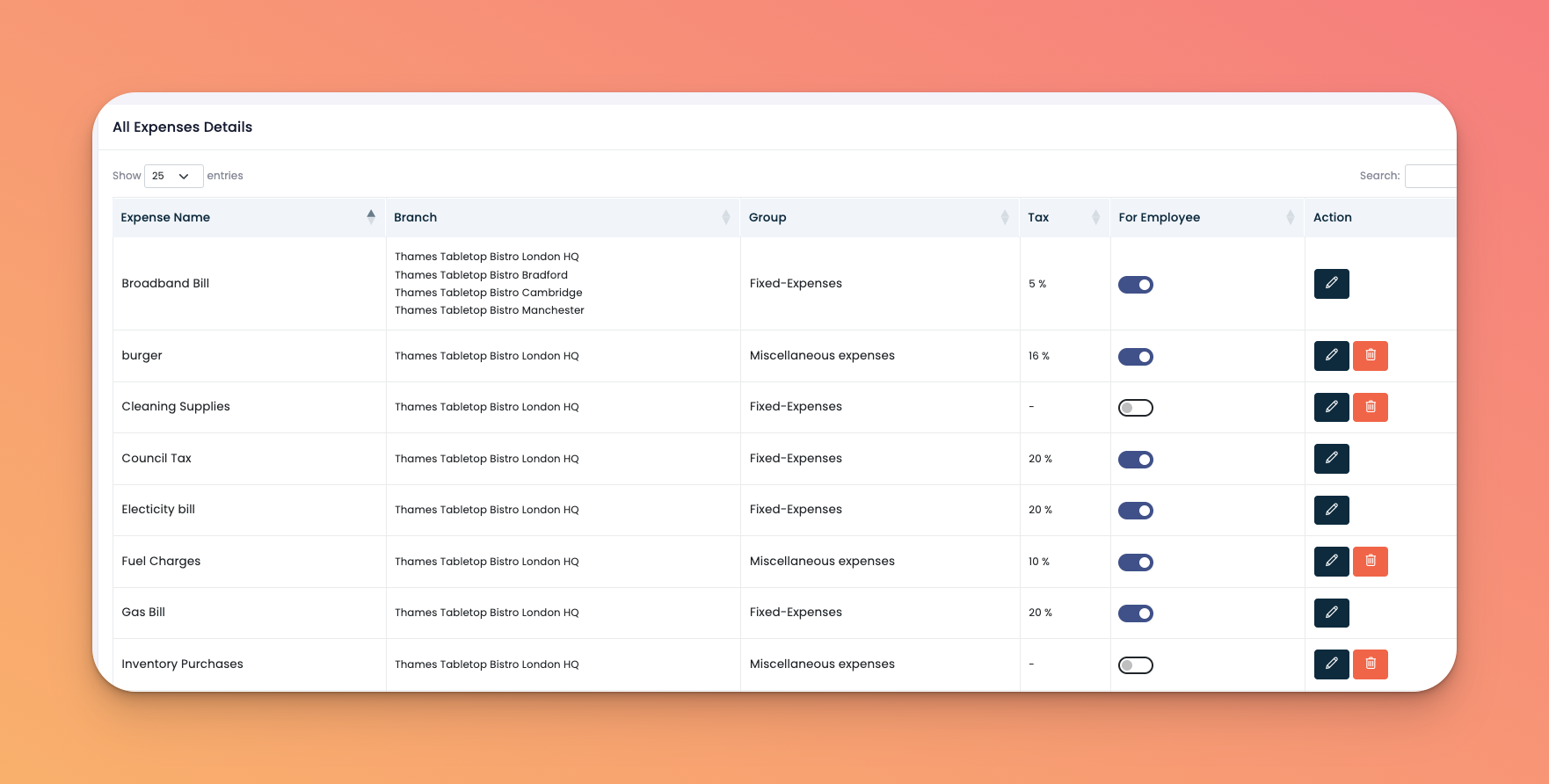
Go to: Accounting → Finance Settings
This subsection helps categorize various outgoing payments per branch and assign them under specific groups like Fixed-Expenses or Miscellaneous Expenses. You can also include tax settings and indicate if the expense applies to employees.
Go to the Expense Settings tab (selected by default)
Fill in the required fields:
Expense Name
Branch (or leave blank for all branches)
Group (choose from created groups)
✅ Optionally check Add Tax if tax applies
Click Create
✅ Tips
Use meaningful names to help with monthly and yearly reports
If you frequently assign the same settings to multiple branches, use the "all branches" option for speed
Toggle the For Employee switch to flag personal-use expenses
Q: Can I assign an expense to multiple branches?
A: Yes, either by selecting the branch or leaving it blank to apply to all.
Q: Can I edit or delete an expense entry later?
A: Yes, use the ✏️ edit or 🗑️ delete icons in the action column.
Q: What if I want to categorize expenses better?
A: Use the “Groups” section to create categories like Inventory, Utilities, or Staff Welfare.
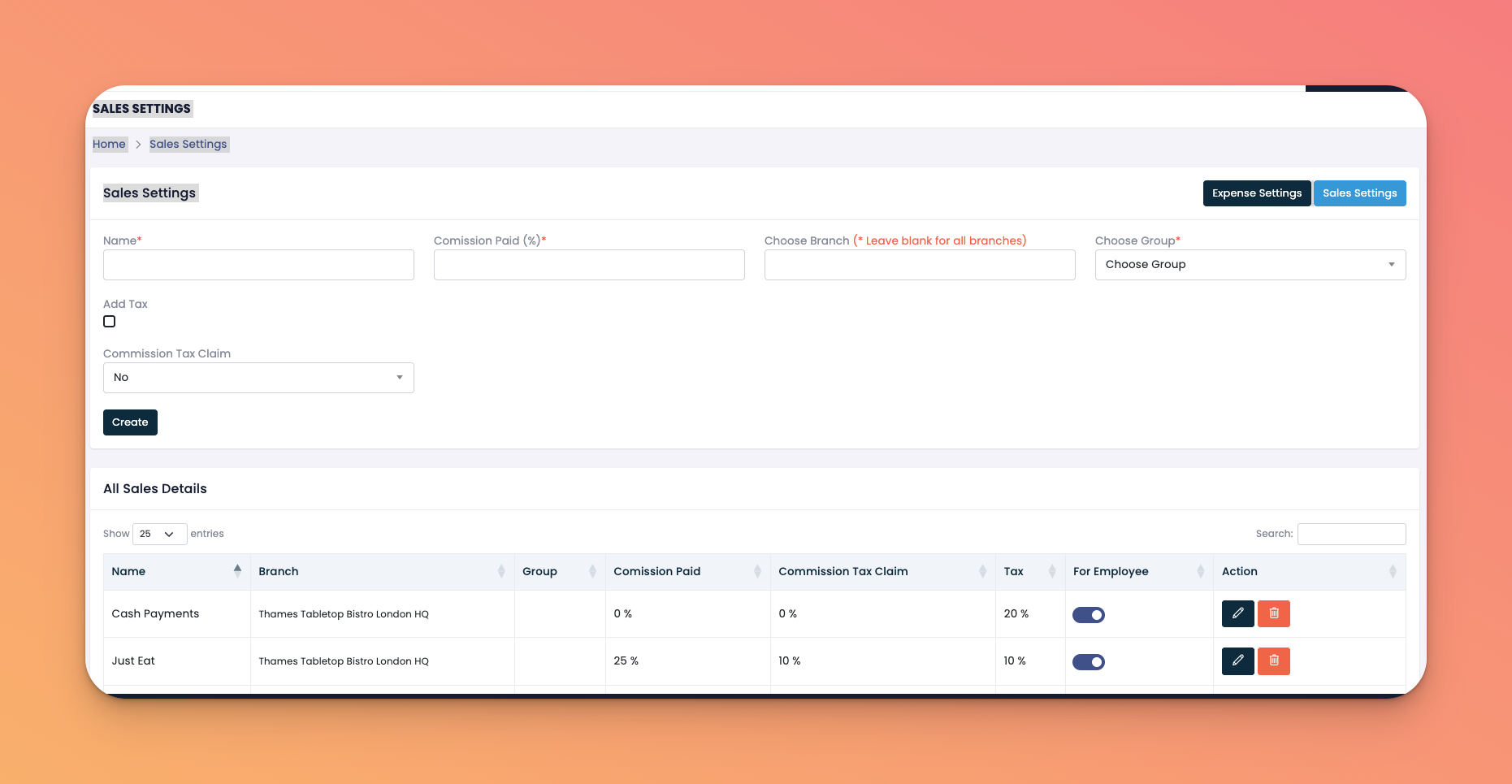
Sales Settings allow you to configure income entries and commission-related tax rules. You can specify what percentage of a sale qualifies for commission and tax reclaiming.
Click the Sales Settings button on the top right
Enter:
Name
Commission Paid (%)
Branch (or leave blank for all)
Group (choose from your sales-related groups)
✅ Enable Add Tax and/or Commission Tax Claim if applicable
Click Create
✅ Tips
Track online vs offline sales separately with meaningful names like Just Eat, UberEats, or Cash Payments
Use groups to distinguish types of revenue
Use tax toggles for accurate reporting and reclaiming
Q: What is 'Commission Tax Claim'?
A: It refers to the tax reclaimable on the commission paid. You can set this manually per entry.
Q: How do I know if a sale entry is for employees?
A: Use the For Employee toggle switch. It helps HR or payroll identify relevant entries.
Q: Can I track commissions for specific sales channels?
A: Absolutely. You can create a new sales entry per channel and specify the percentage commission.