The Automations section under e-Learn allows you to automate the assignment of learning paths or courses based on predefined roles or departments. It streamlines training distribution across different employee levels.
Go to: Automations → e-Learn
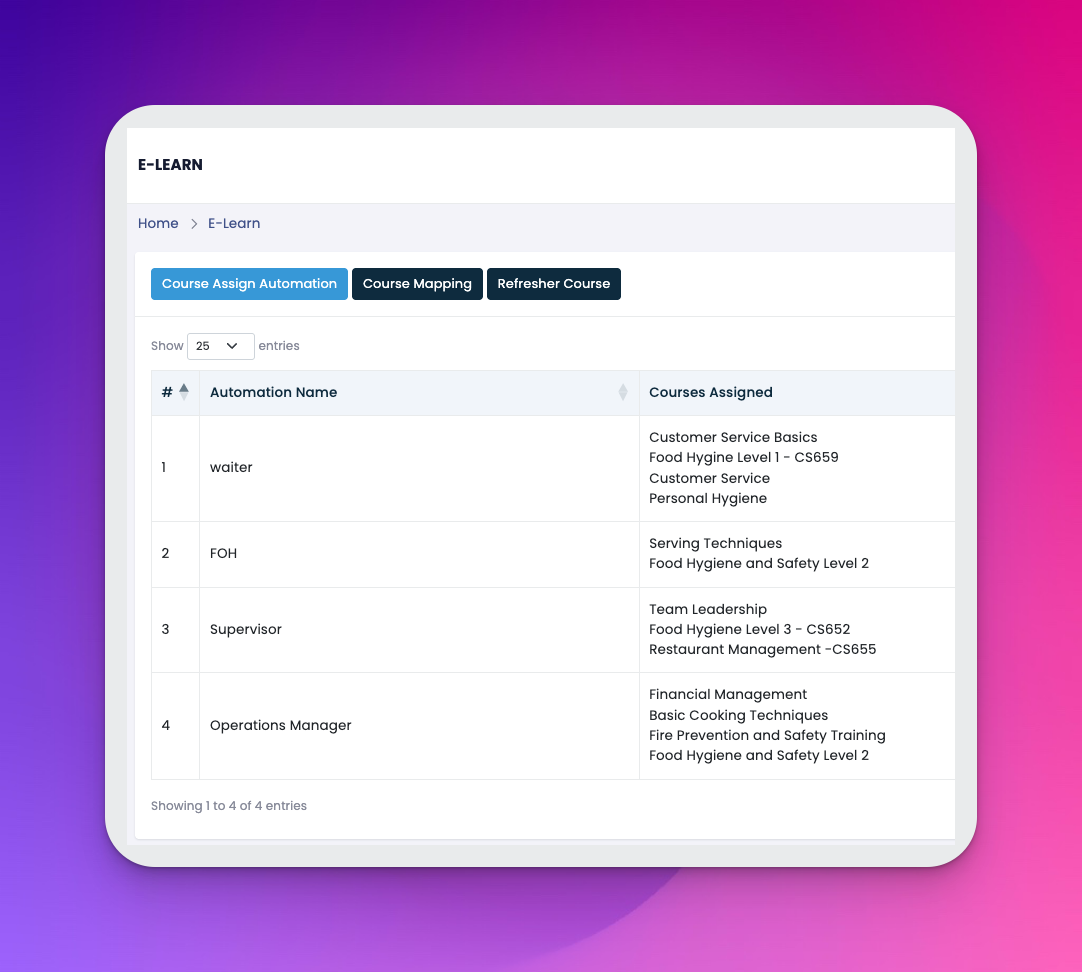
Automation Name – A label for the automation, typically named after a department or role (e.g., FOH, Supervisor)
Courses Assigned – A list of courses that will be automatically assigned
Level – Indicates employee seniority or role hierarchy
Actions – ✏️ Edit or 🗑️ Delete the automation
Click Create at the top right
Choose between:
Course Assign Automation – Define automation rules
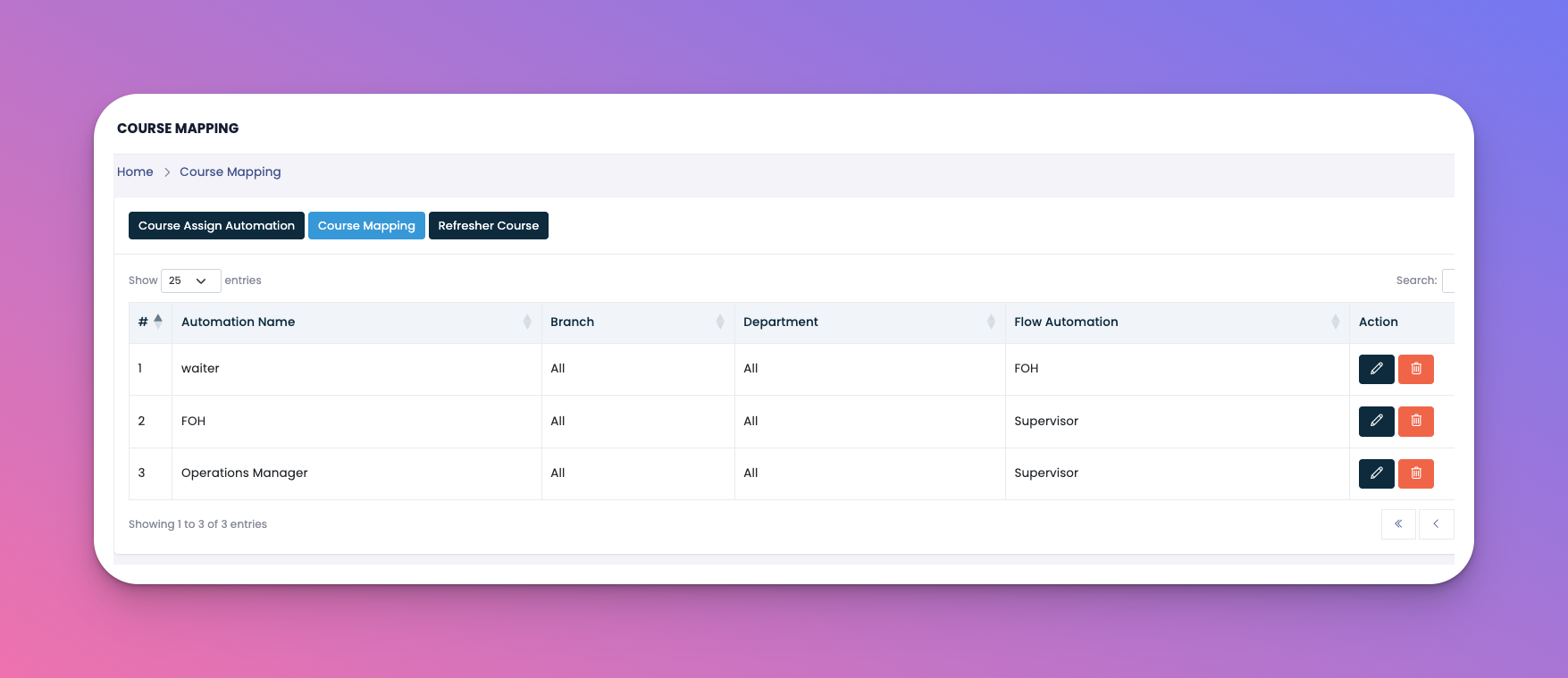
Course Mapping – Link specific courses to roles
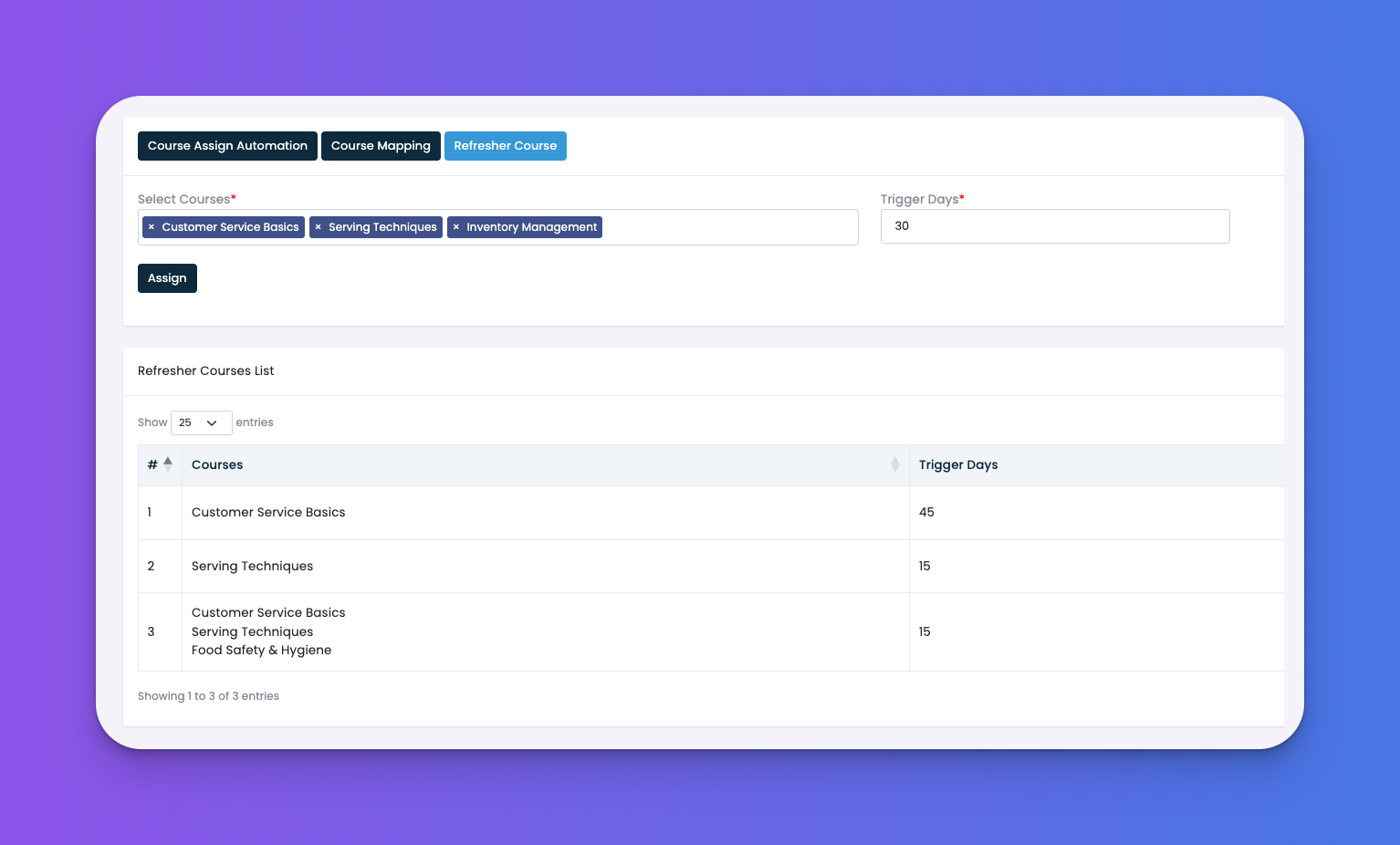
Refresher Course – Set up repeat learning intervals
Define automation name, assign relevant courses, and set the level
Save your configuration
🧠 How It Works:
Select a company course or an eHubt pre-made course
Name your automation (e.g., Waiter Level 1)
Choose a level (e.g., Level 1)
Once the employee completes the course, the system will automatically unlock the next level automation
✅ Tips
Use consistent naming (e.g., "FOH Level 1") for clarity across automations
Include safety, hygiene, and customer service basics for entry-level roles
Automations help reduce manual course assignments dramatically
Q: Can I assign multiple courses in one automation?
A: Yes! Each automation can bundle multiple courses.
Q: Can I change the course list later?
A: Absolutely, click ✏️ to edit any automation.
Q: How are refresher courses handled?
A: Use the Refresher Course tab to assign repeat training schedules.
Q: What triggers the next level to unlock?
A: When an employee finishes the current level course, the next level becomes visible to them.
Q: Can I mix company and eHubt courses?
A: Yes, both can be assigned within the same automation.