The Assets section under Head Office allows you to sync equipment and inventory data with your branches. This is perfect for keeping track of major assets like kitchen appliances, tech equipment, and tools across all locations.
👇👇
[Assets]
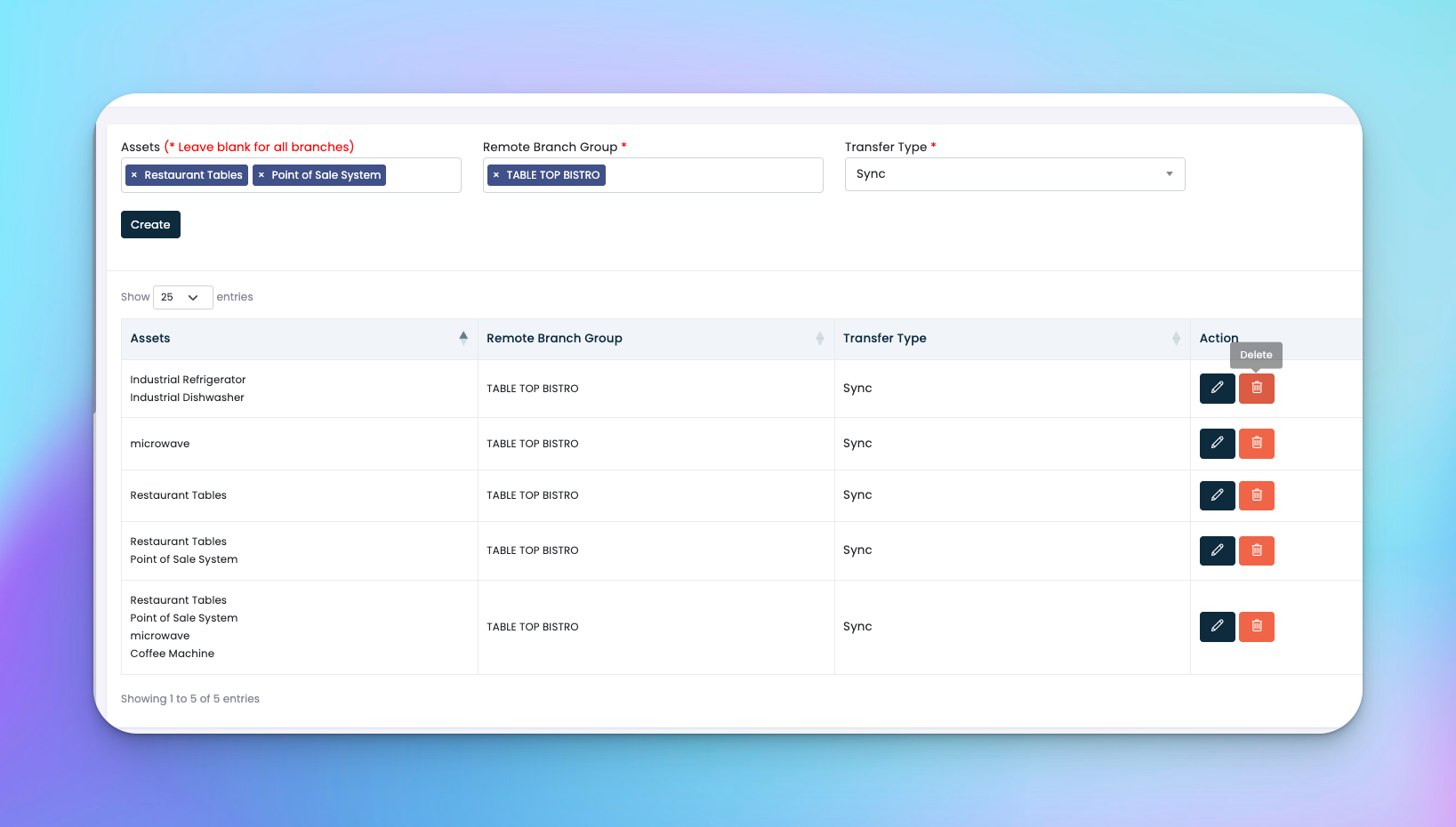
Go to: Head Office → Assets
Asset Name – Name of the equipment or item (e.g., Commercial Oven, POS System)
Remote Branch Group – Which branches are receiving the asset details
Transfer Type:
🔁 Sync – Keeps asset details updated everywhere
📦 One Time – Sends asset details once only
Actions: ✏️ Edit or 🗑️ Delete
Click Create in the top-right
Choose one or more assets from the system
Select the target branch group
Set transfer type to Sync or One Time
Save
✅ Tips
Use Sync for critical equipment that may need updates (e.g., warranty or maintenance info)
One Time works for static assets with no future updates
Helps standardize tools and equipment across your company
Q: Can I update asset info after assigning it?
A: Yes, but only if the asset was sent using Sync. One Time transfers won’t auto-update.
Q: What happens if I delete an asset assignment?
A: It stops syncing or referencing that asset in the assigned branches but doesn't delete the original asset record.
Q: Can I assign different assets to different groups?
A: Yes, just create separate assignments for each group.