The e-Learn Head Office section helps you distribute training content to branches in bulk. Instead of uploading training modules individually to each location, you can send or sync them with just a few clicks.
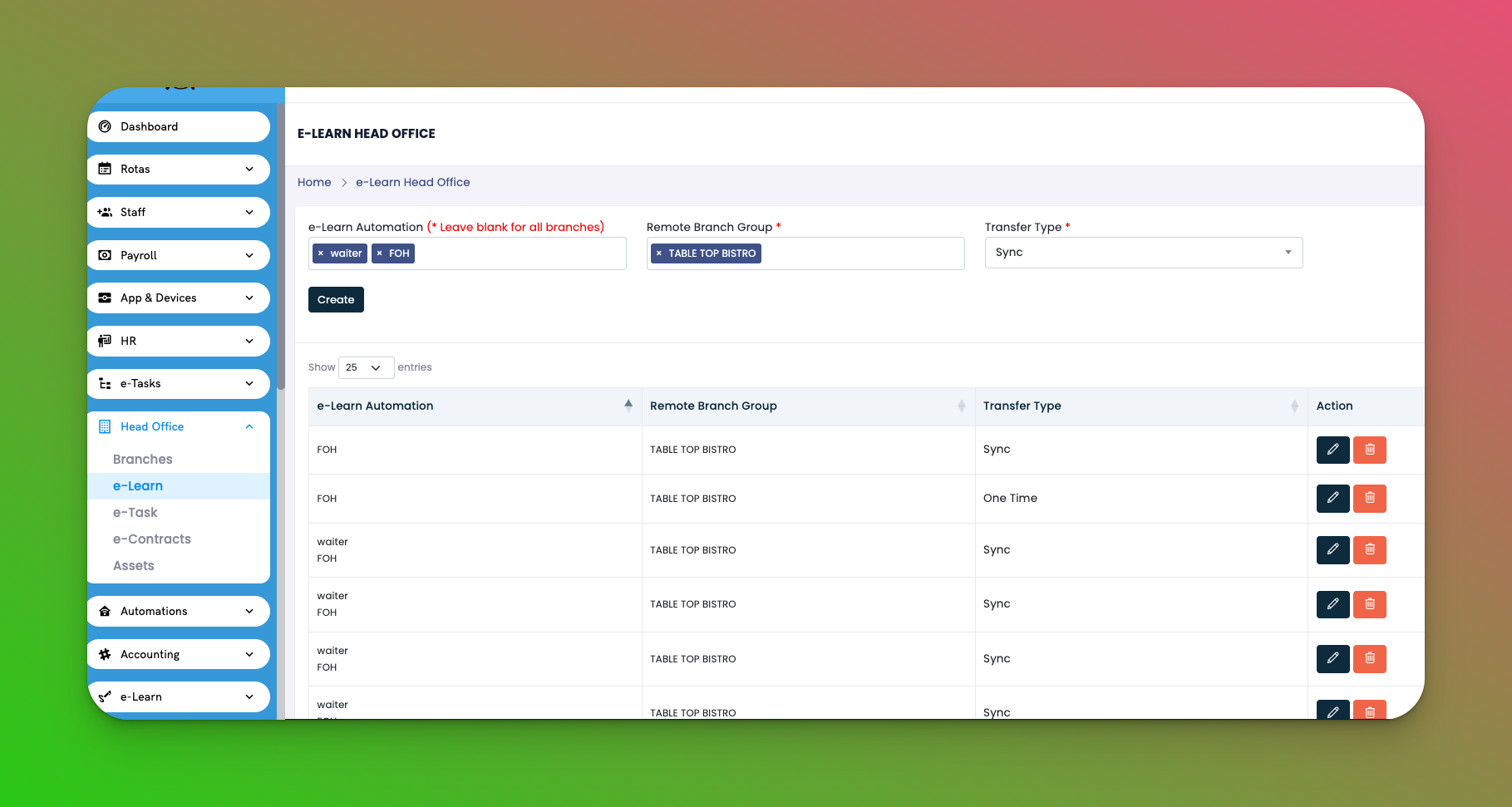
Go to: Head Office → e-Learn
e-Learn Automation Name – A label for the training content you’re assigning
Remote Branch Group – The group of branches that will receive the content
Transfer Type:
🔁 Sync – Any changes made to the source training are automatically updated across branches
📦 One Time – Sends a snapshot of the training; future changes will not be synced
Actions: ✏️ Edit or 🗑️ Delete the automation rule
Click Create in the top-right
Select the training checklist(s) to distribute
Choose a remote branch group
Pick transfer type: Sync or One Time
Save
✅ Tips
Use Sync if you plan to update the training regularly
Use One Time for finalized content you don't want to change
Great for new hire onboarding or compliance refreshers across branches
Q: Can I send more than one checklist at a time?
A: Yes, you can select multiple training checklists during setup.
Q: What happens if I edit a synced checklist later?
A: All connected branches will receive the updated version.
Q: Can different groups receive different training?
A: Yes! You can set up separate automations per group with custom content.