The e-Tasks module helps you manage operational checklists, monitor task completions, and track compliance with ease. This powerful dashboard ensures every team member knows what needs to be done and when, creating a culture of accountability and productivity.
🎥 Video Tutorial
👇👇
[Dashboard video]
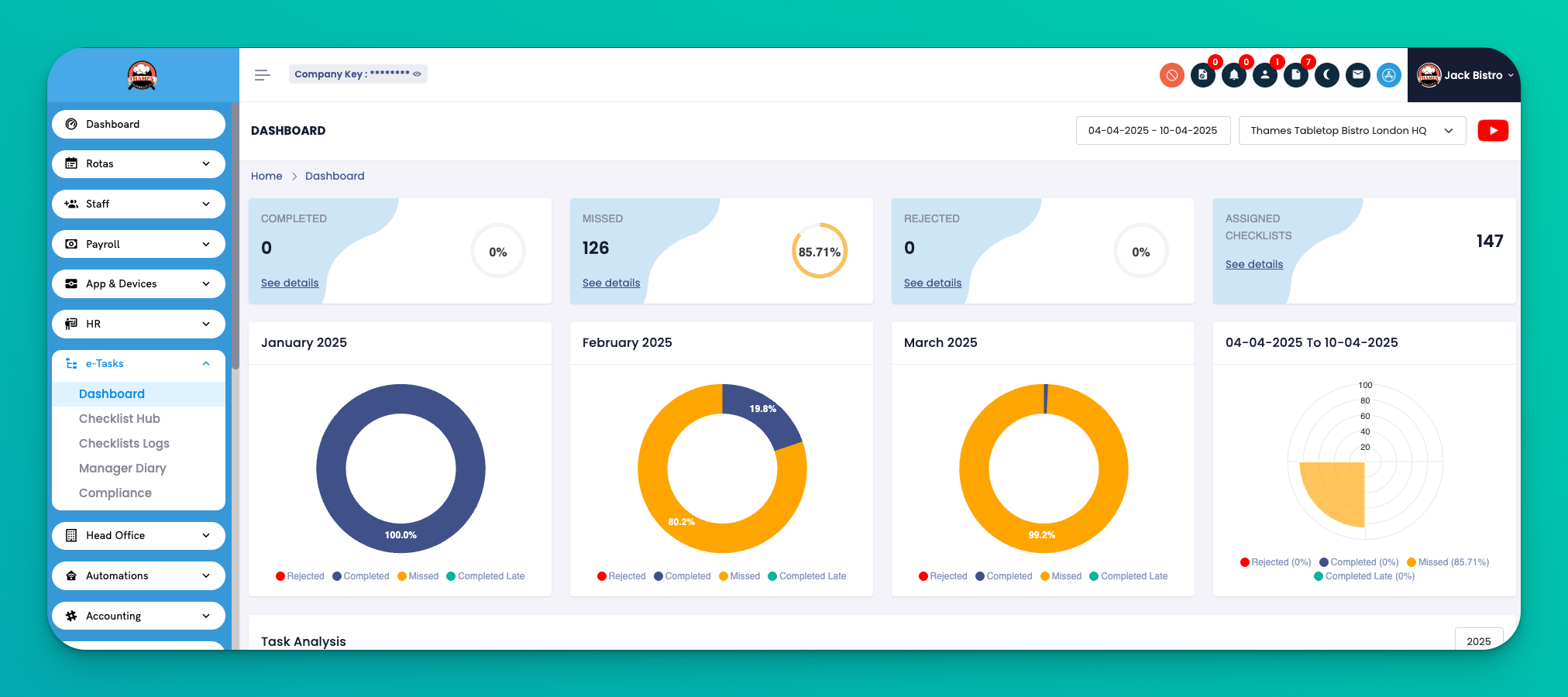
The e-Tasks Dashboard gives you a real-time overview of task performance across locations and team members. It's your central view for evaluating compliance, completions, and missed tasks by day, week, or month.
Navigation:
Go to e-Tasks → Dashboard
✅ Task Status Overview
Quickly view how many tasks were Completed, Missed, or Rejected.
🧠 Monthly Checklist Breakdown
Displays a visual summary of checklists completed, assigned, and missed — categorized by month.
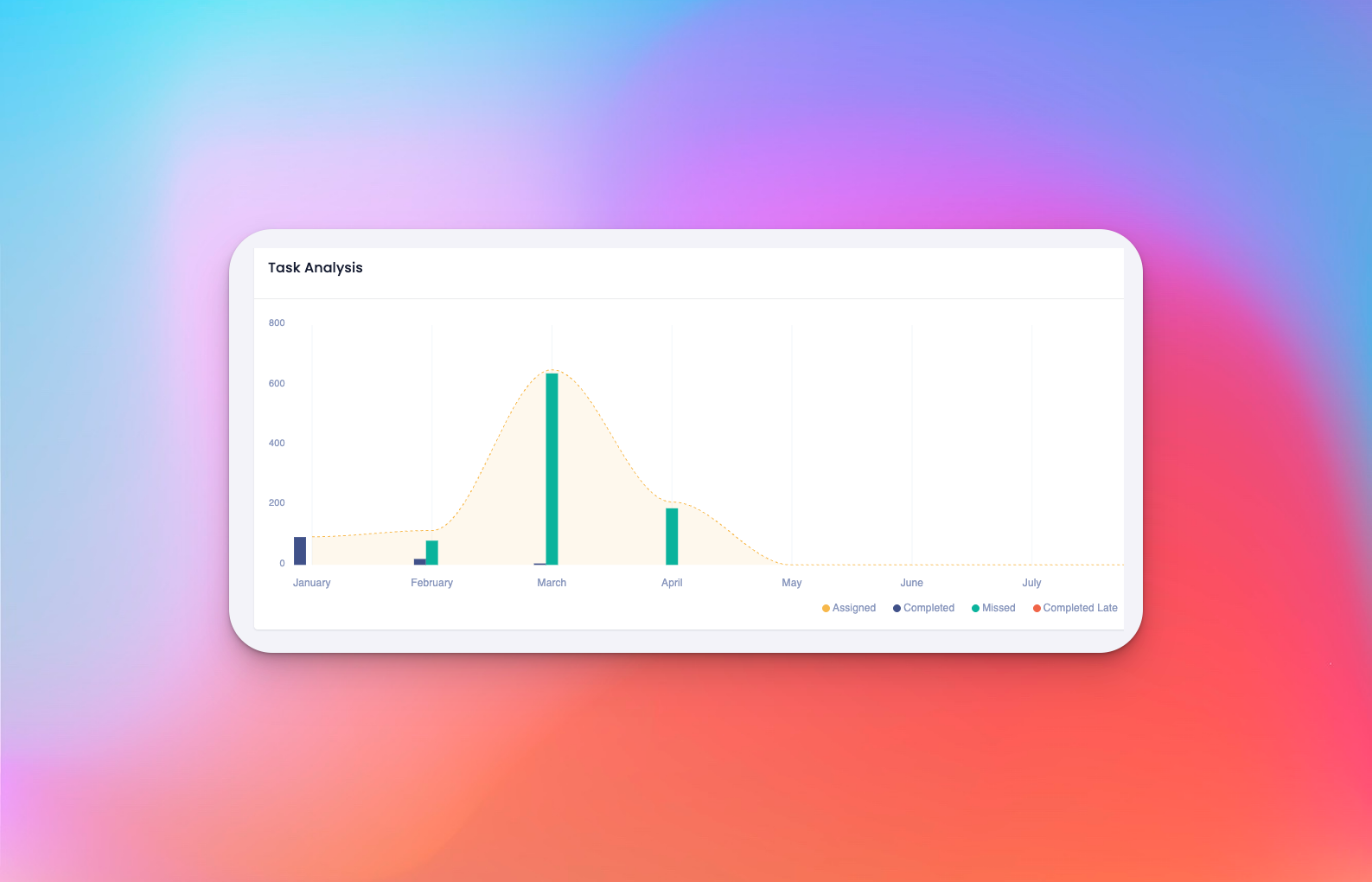
📈 Performance Graph
Shows task progress trends over time: assigned vs completed vs missed tasks.
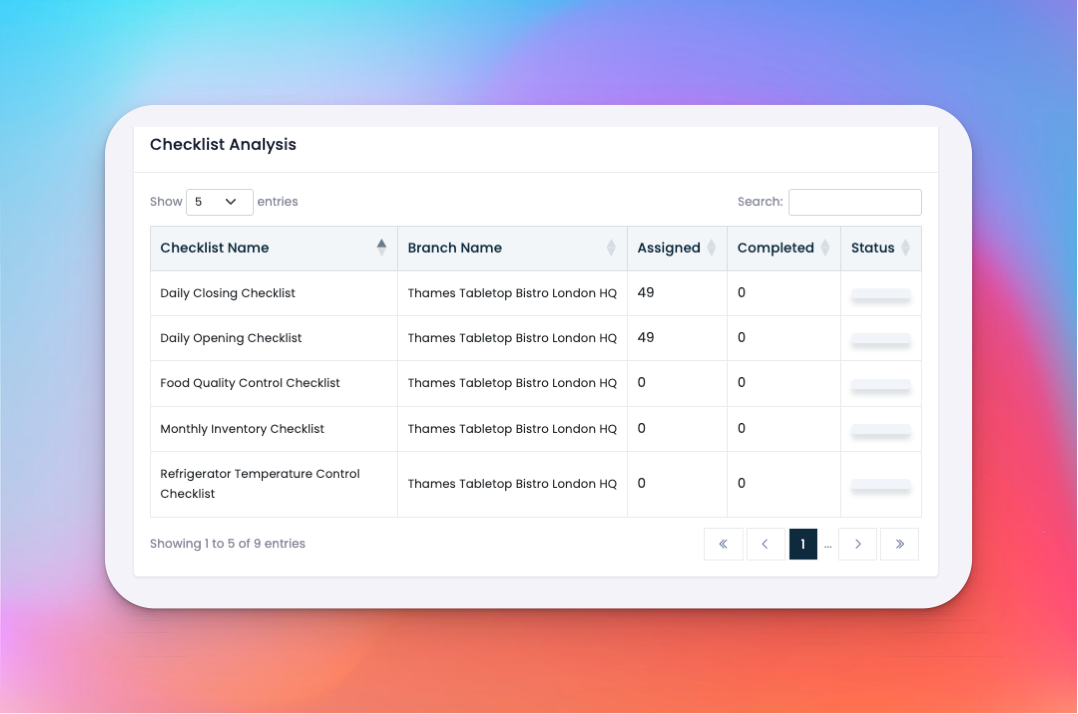
🏢 Checklist Analytics by Branch
Displays how many checklists have been completed at each branch. Great for identifying high or low-performing locations.
👥 Employee Task Summary
A staff-level snapshot showing how many checklists each team member completed or missed.
✅ Tips
Use the branch filter to focus on specific store locations.
Click on graph bars or branch stats to drill into checklist details.
Ideal for shift leaders or managers to monitor productivity at a glance.
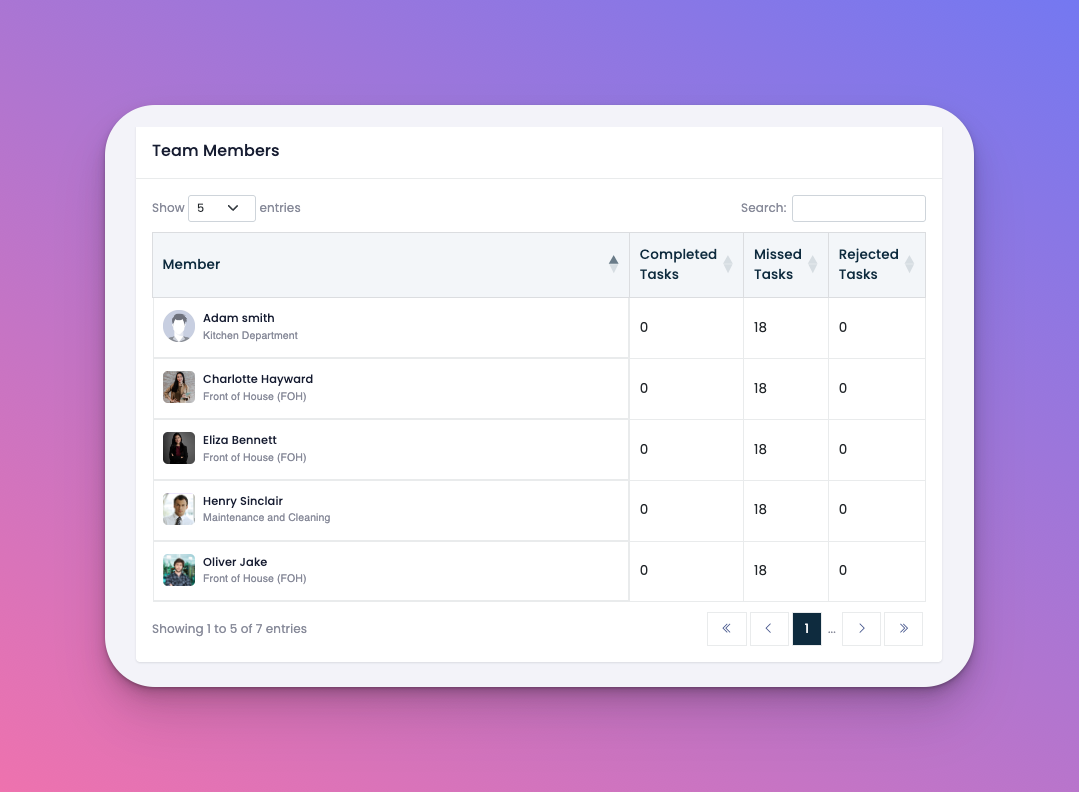
Q: Can I track which employee missed specific tasks?
Yes — under the employee summary you can view who completed or missed each checklist.
Q: Are these statistics live?
Yes — the dashboard updates in real time as employees complete or miss checklists.
Q: Can I export the dashboard data?
Currently, dashboard visual data is not downloadable, but you can access checklist logs for exportable records.
Q: What does “Rejected” mean in the context of tasks?
Rejected tasks are those sent back by managers or admins for redoing or correction.