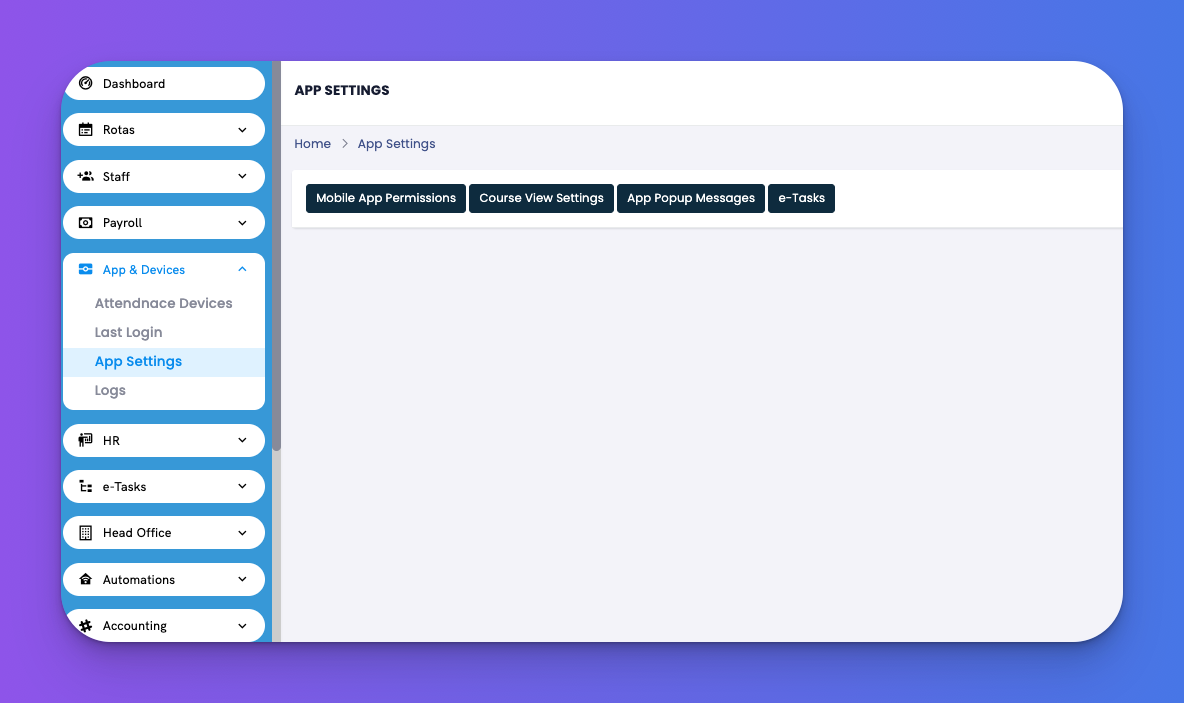
This section gives you control over how employees use the mobile app.
Navigate to: App & Devices → App Settings
There are four tabs available:
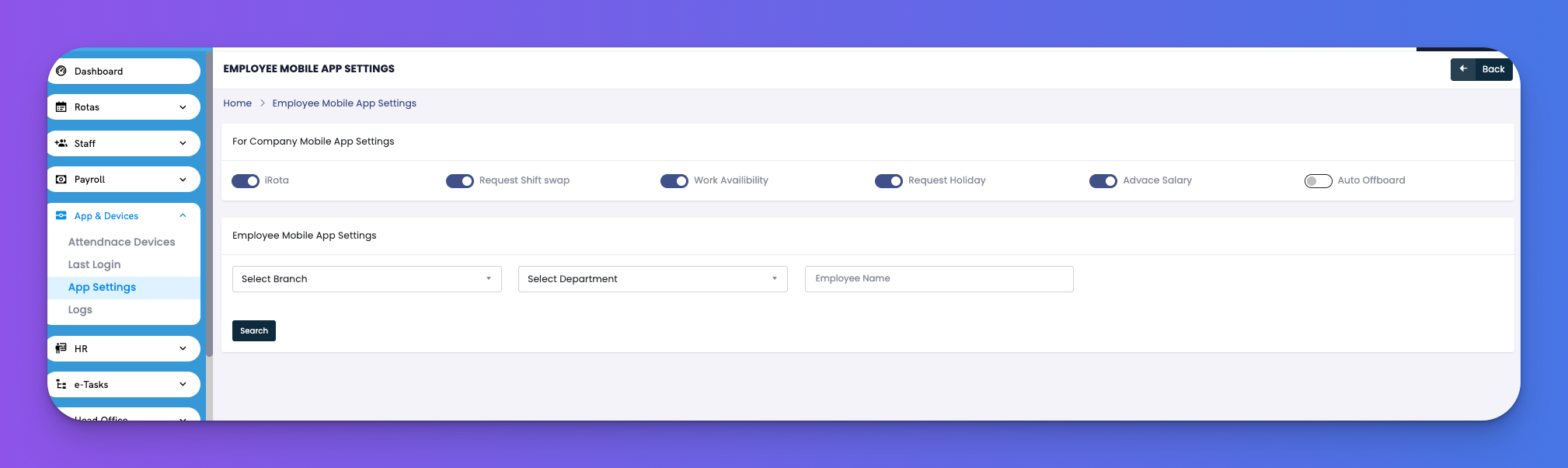
Toggle on/off features accessible in the mobile app for all or selected employees.
Available Toggles:
iRota
Request Shift Swap
Work Availability
Request Holiday
Advance Salary
Auto Offboard
🔎 Filters: Filter by Branch, Department, and Employee to assign individual access.
✅ Tips
Keep unused features off to simplify the employee view.
Grant advance salary or offboarding permissions only to trusted roles.
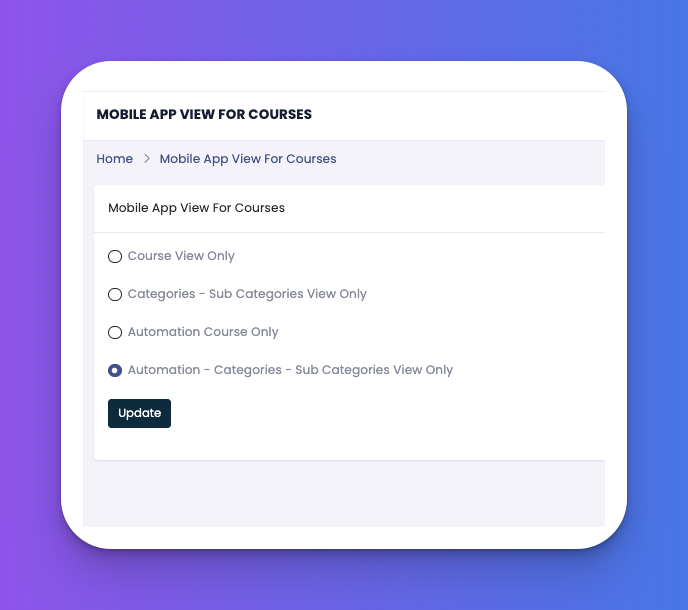
Manage which training modules or content are visible inside the app.
✅ Tips
Use this for e-Learn access control per department.
Ideal for staged onboarding or training programs.
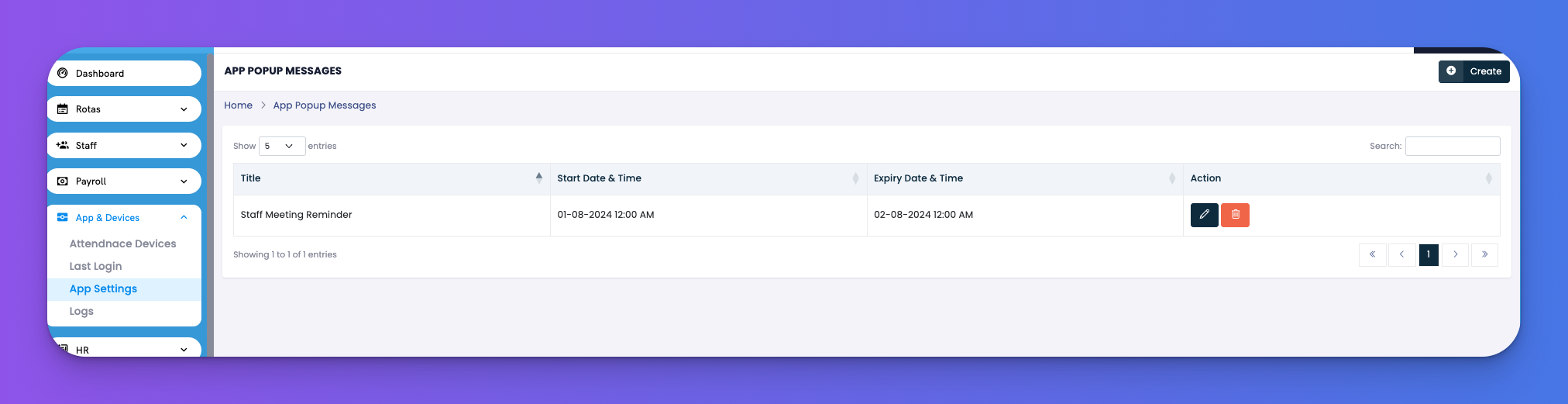
Send alert messages to employees that appear directly inside their mobile app.
Fields Included:
Title – Name of the message (e.g., Staff Meeting Reminder)
Start & Expiry Dates – Duration message is active
Action – Edit 🖋 or Delete 🗑
✅ Tips
Use popups to share timely updates (e.g., policy reminders or shift changes).
Set expiry to auto-remove old notifications.
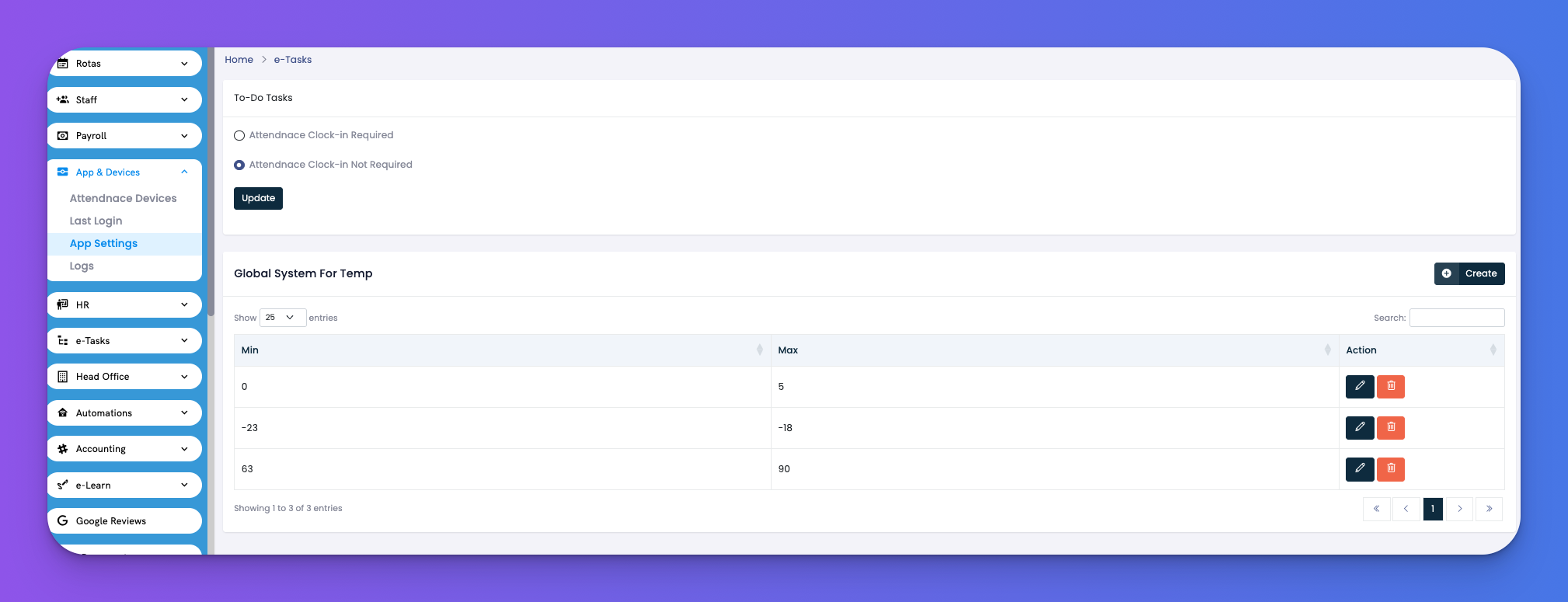
Control whether attendance is required before employees can access e-Tasks.
Options:
✅ Attendance Clock-In Required
🚫 Attendance Clock-In Not Required
Also includes:
Global Temperature Settings – Define min/max acceptable temperature ranges for tasks.
✅ Tips
Use the temperature range to monitor food safety or equipment zones.
Adjust clock-in requirement depending on how strictly you want to monitor attendance.