🎥 Video Tutorial
[Manager Diary]
Keep your entire management team in sync by logging key updates, reminders, or follow‑ups in the Manager Diary.
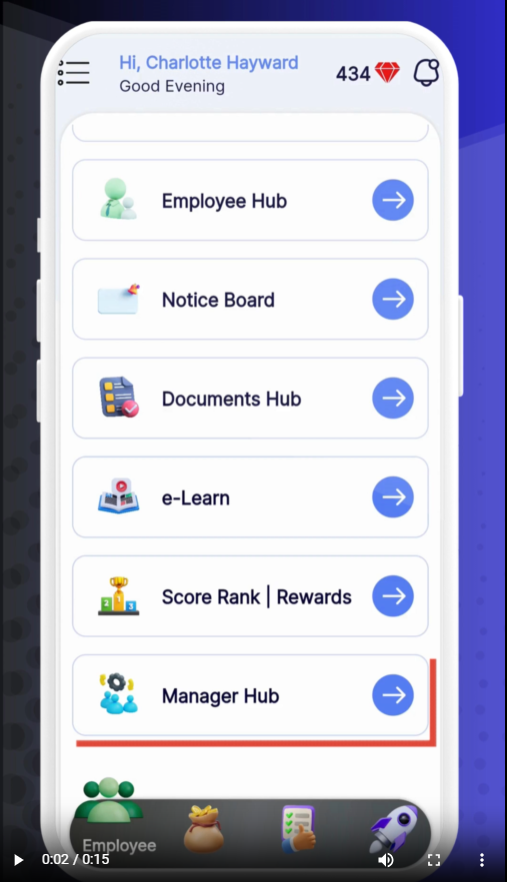
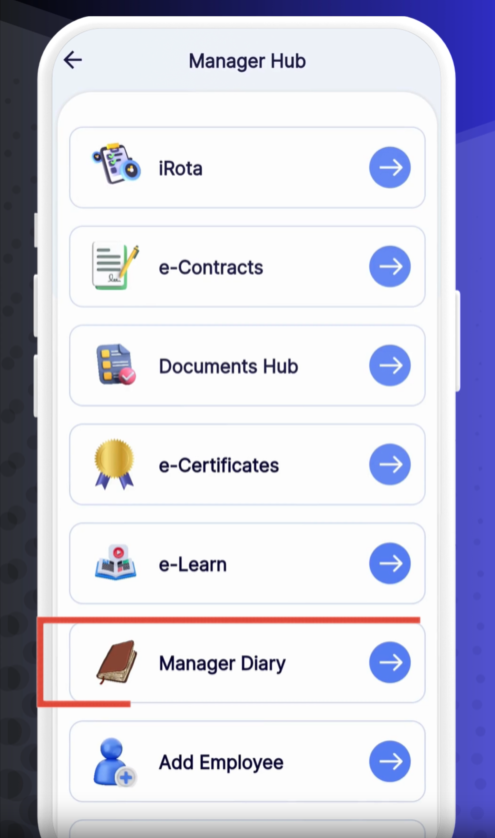
Open Manager Hub
Tap Manager Hub from the main menu.
Access Manager Diary
Select Manager Diary to view the calendar of notes.
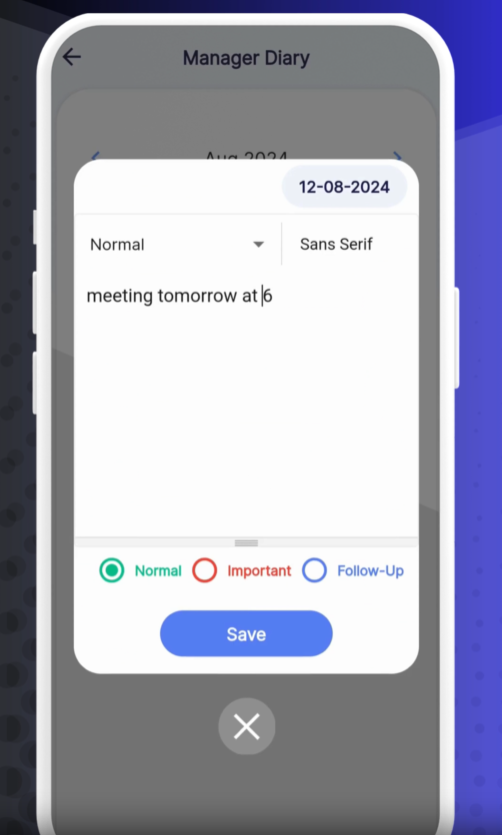
Add a New Note
Tap + Add/Edit Note.
Select Manager: Choose who logged the note.
Date: Pick the entry date.
Priority: Set Normal, Important, or Follow‑Up.
Description: Enter your message or reminder.
Tap Save.
Sync & Visibility
Once saved, the note appears on everyone’s Manager Diary calendar—no extra steps required.
Calendar View: Dates with notes are colored by priority:
🟢 Normal
🔵 Important
🔴 Follow‑Up
Notes Panel: Click any date to read the details and add comments.
Priority Flags help managers spot urgent items at a glance.
Shared Visibility ensures no one misses critical updates.
Filter by Manager to review only your own entries if needed.
❓ Need Help?
Visit our Help Center at https://desk.ehubt.io or contact support.