🎥 Video Tutorial
👇👇
[Add Expense ]
Quickly record company expenses in the eHubt Mobile App.

Finance
Tap Finance from the main menu.
Add Expense
Tap the + icon and select Add Expense.
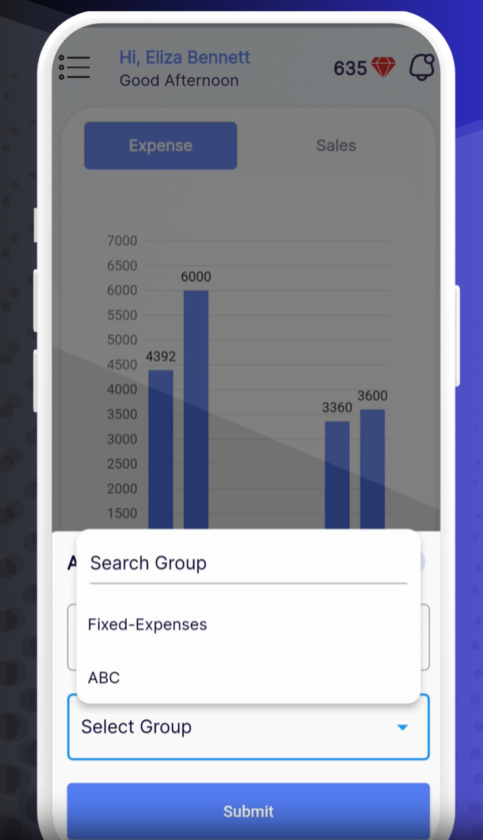
Select Branch
Choose the branch where the expense occurred.
Select Group
Pick the expense category (e.g., Utilities, Maintenance).
Submit Initial Details
Tap Submit to proceed to the full entry form.
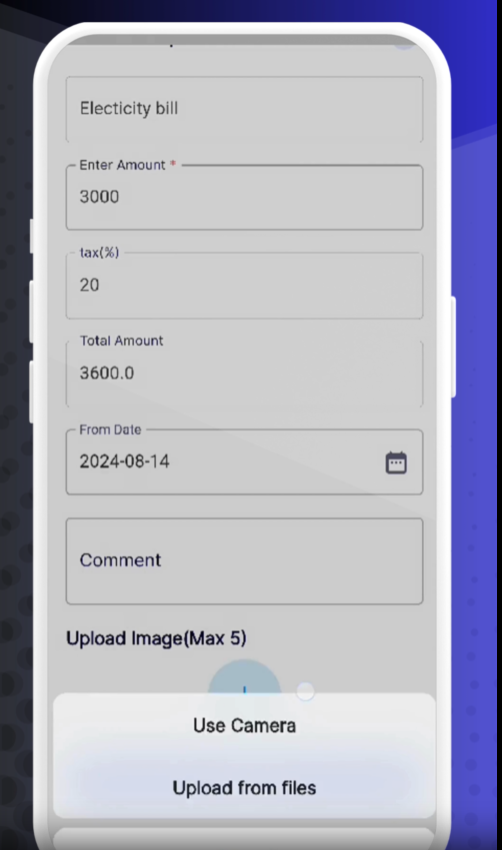
Expense Details
Item: Choose the specific expense (e.g., Electricity Bill).
Amount: Enter the pre-tax cost.
Date: Select the date of the expense.
Comment: Add any notes or descriptions.
Review Automated Fields
Tax: Auto-calculated based on your finance settings.
Total Amount: Displays gross cost including tax.
Upload Proof
Tap the 📎 attach icon to add a photo of the receipt or upload a file.
Submit for Approval
Tap Submit to send the expense for manager or finance approval.
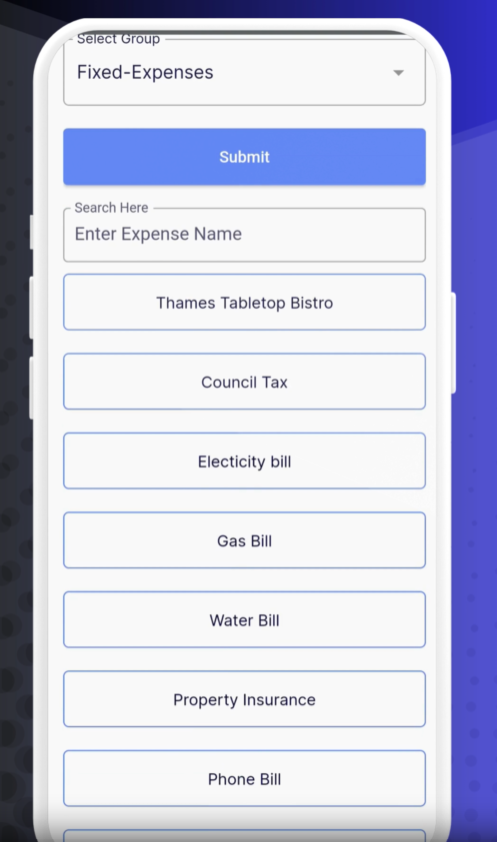
The new expense appears in your Expenses list with its status (Pending, Approved, Rejected).
Tap any entry to view details, edit, approve, or reject.
Batch Entry: Add multiple expenses back-to-back by repeating steps for convenience.
Verify Settings: Ensure your tax rates are correct in Finance Settings before entry.
Attach Clear Receipts: High-quality images speed up approval.
❓ Need Help?
If you have questions or encounter issues, visit our Help Center at desk.ehubt.io or contact your finance administrator.