🎥 Video Tutorial
👇👇
[Employee Contacts]
Quickly find and reach out to any team member using the eHubt Manager Hub.
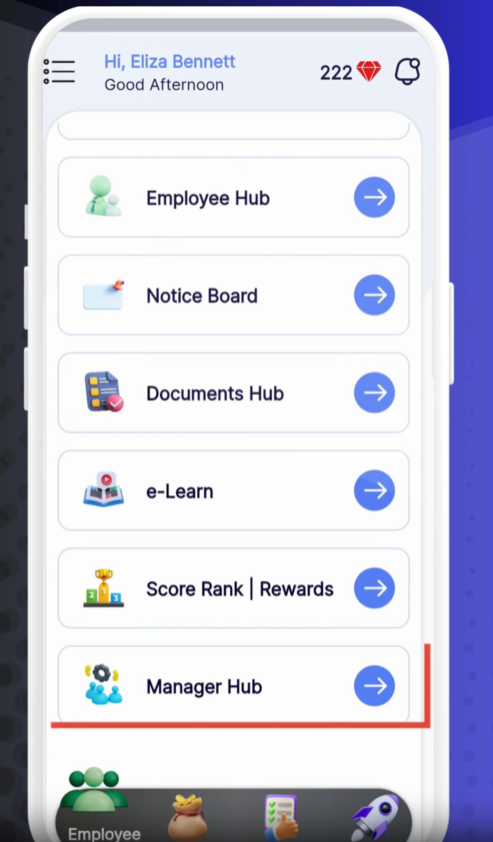
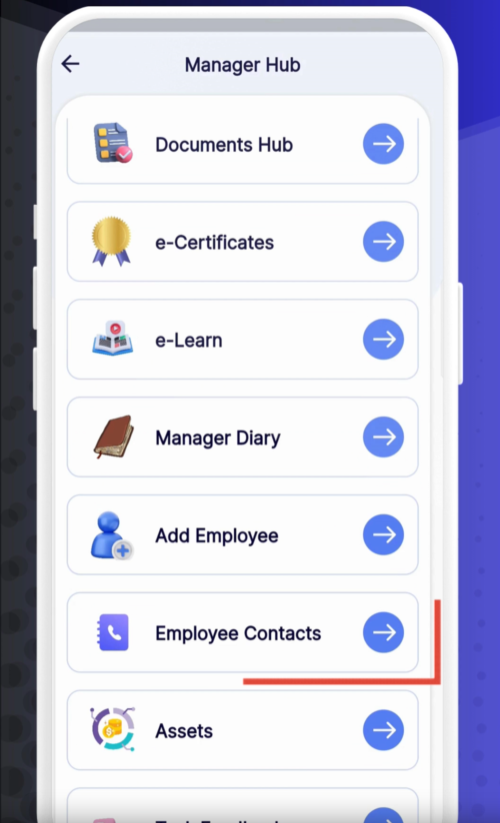
Manager Hub
Tap Manager Hub from the main menu.
Employee Contacts
Select Employee Contacts.
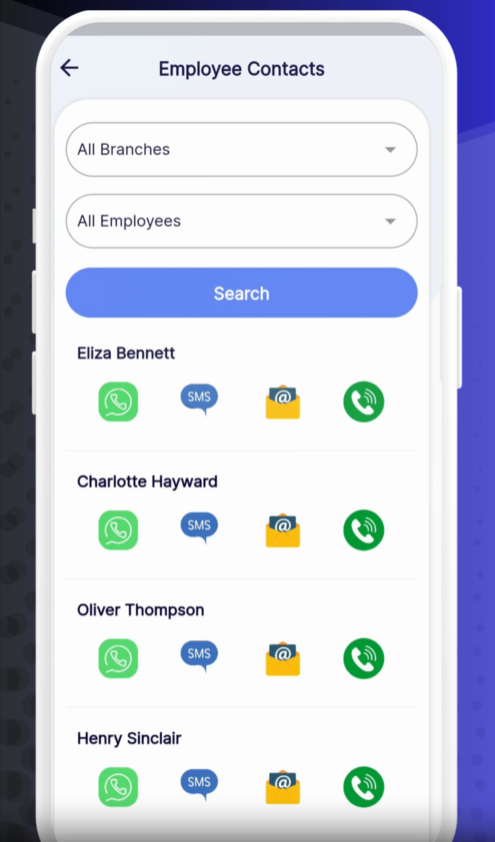
Branch
Open the Branch dropdown and choose the location.
Employee
Select the specific Employee whose contact details you need.
Search
Tap Search to load their contact methods.
WhatsApp – Tap to open a chat with the employee in WhatsApp.
SMS – Tap to compose a text message.
Email – Tap to draft an email in your default mail app.
Phone – Tap to call the employee’s phone number.
Quick Follow-Up: Use WhatsApp for instant team coordination.
Automated Logs: All calls and messages are logged in the employee’s activity history.
Privacy First: Always confirm you have permission before sharing personal contact details.
❓ Need Help?
If you have questions or encounter issues, visit our Help Center at desk.ehubt.io or contact your HR administrator.