🎥 Video Tutorial
👇👇
[Assigning Courses]
Quickly assign training modules to your team using the eHubt Mobile App.
Manager Hub
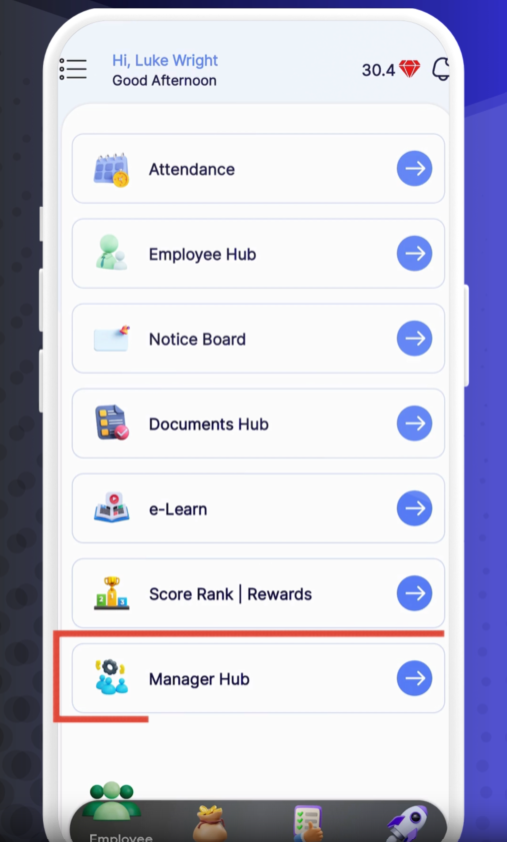
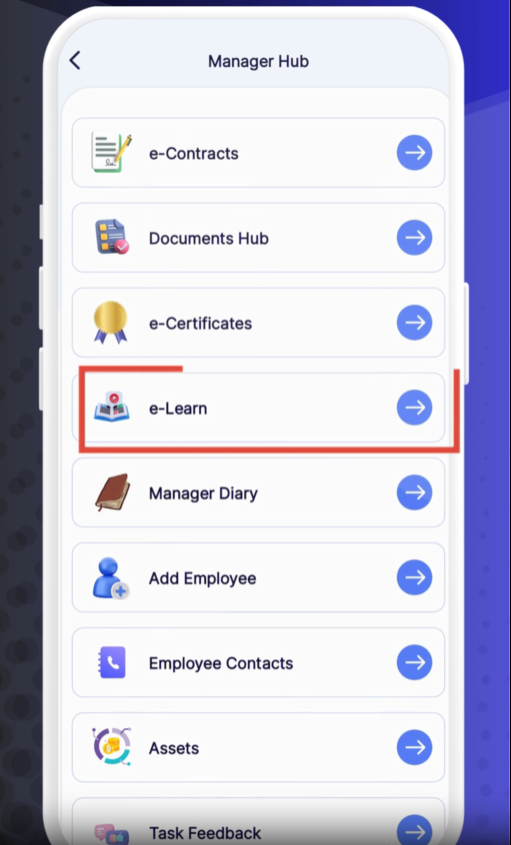
Tap Manager Hub from the main menu.
Assign Courses
Select Assign Courses.
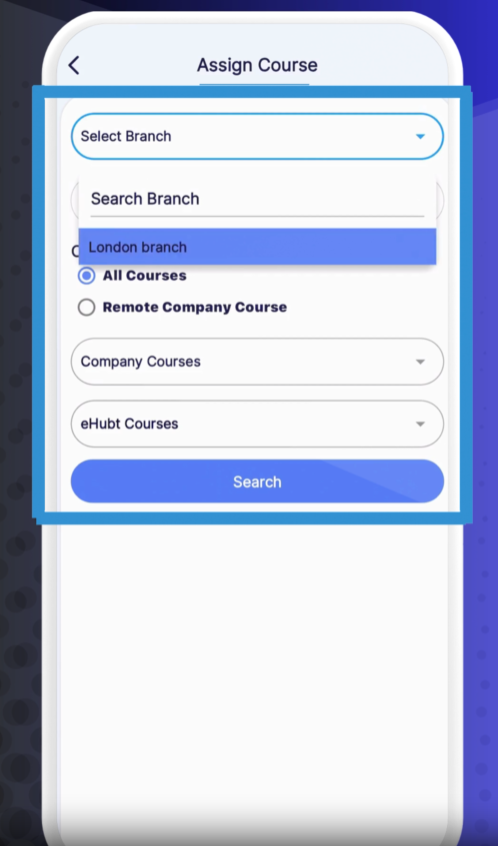
Select Branch
Choose the branch where the employee works.
Select Employee
Tap Employee Name and pick one or more staff members.
Choose Course Set
All Courses – Every available course in the system
Remote Company Courses – Only courses provided by your organization
Review Course List
You’ll see each course’s:
Serial Number
Category
Completion Deadline (default date)
Adjust Deadlines (Optional)
Tap the deadline field next to any course to modify its due date.
Mark Favorites (Optional)
Tap the star icon to mark key courses as favorites for quick access.
Save Assignment
Tap Assign at the bottom to finalize course assignments.
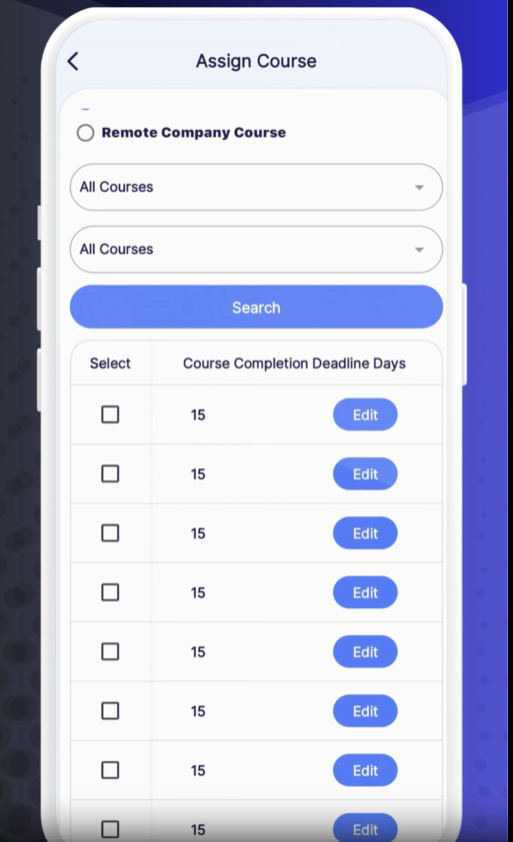
Assigned Courses Table shows each selected employee’s training list with deadlines and status (Not Started, In Progress, Completed).
Favorite Courses appear at the top of their personal course lists.
Batch Assign: Select multiple employees at once to assign the same course set.
Set Realistic Deadlines: Give team members enough time to complete courses, especially mandatory compliance training.
Favorite Key Modules: Mark high-priority courses so employees see them first.
❓ Need Help?
If you have questions or encounter any issues, visit our Help Center at desk.ehubt.io or contact your L&D administrator.