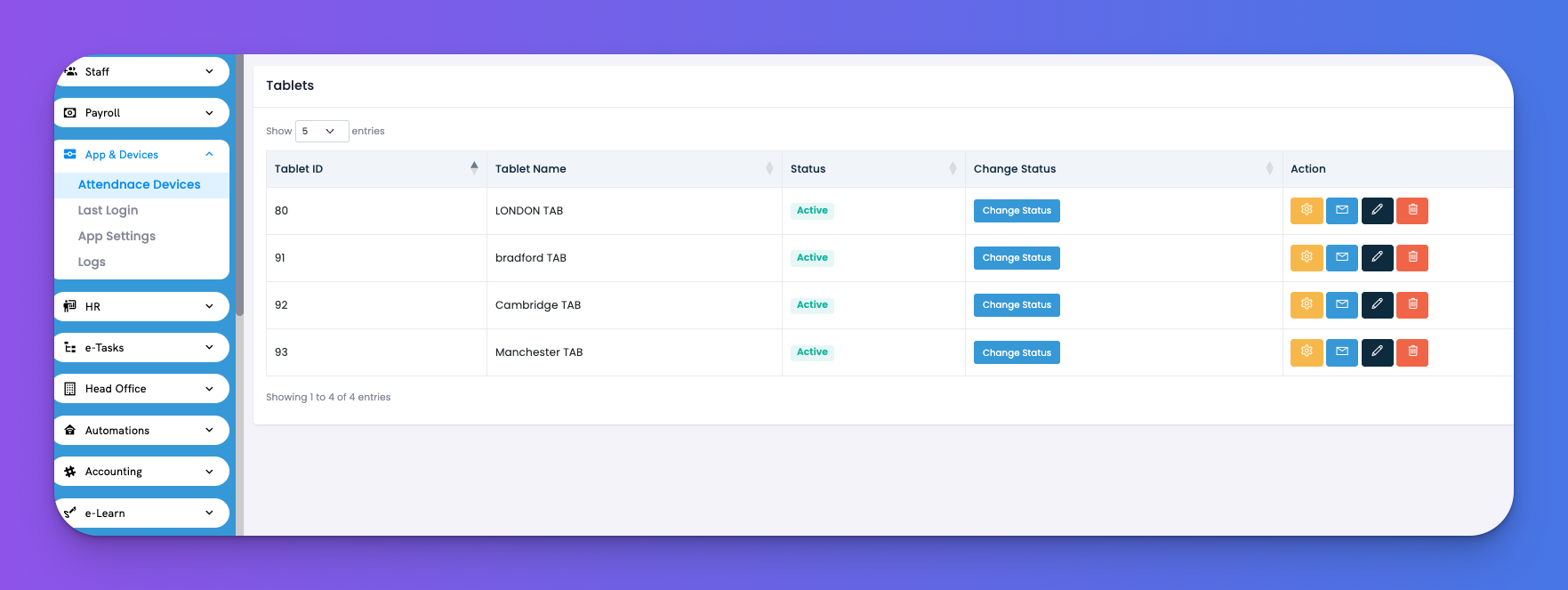
Keep track of all attendance tablets across locations and manage their statuses and settings.
Navigate to: App & Devices → Attendance Devices
You’ll see a list of all registered tablets with their current statuses and controls:
Fields Included:
Tablet ID – System-generated unique ID
Tablet Name – Name you assign (e.g., London TAB, Bradford TAB)
Status – Whether the tablet is Active or Inactive
Change Status – Instantly toggle tablet status
Actions
⚙️ Configure: Manage tablet settings
✉️ Send credentials
🖋 Edit tablet name
🗑 Delete tablet
✅ Tips
Use clear naming for each tablet based on its location.
Always deactivate tablets no longer in use to avoid confusion.
Send login details directly from this screen to the device operator.