🎥 Video Tutorial
👇👇
[Adding a New Employee]
Easily onboard new staff members using the eHubt Mobile App.
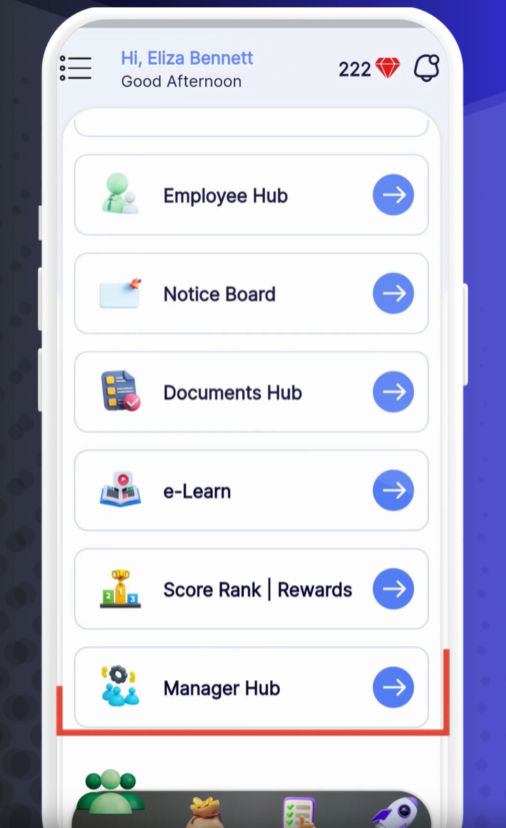
Manager Hub
Tap Manager Hub from the main menu.
Employee
Select Employee.
Add Employee
Tap the + icon and choose Add Employee.
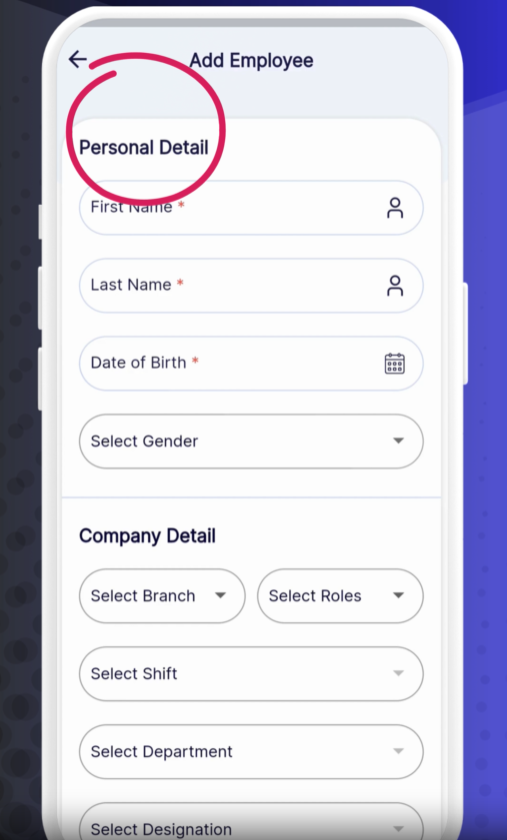
Basic Information
First Name & Last Name
Date of Birth
Gender
Company Details
Branch
Role (e.g., Employee, Manager)
Shift (e.g., Morning, Evening)
Department
Designation
Date of Joining
Monthly Leave Allowance
Phone Number
Advanced Details
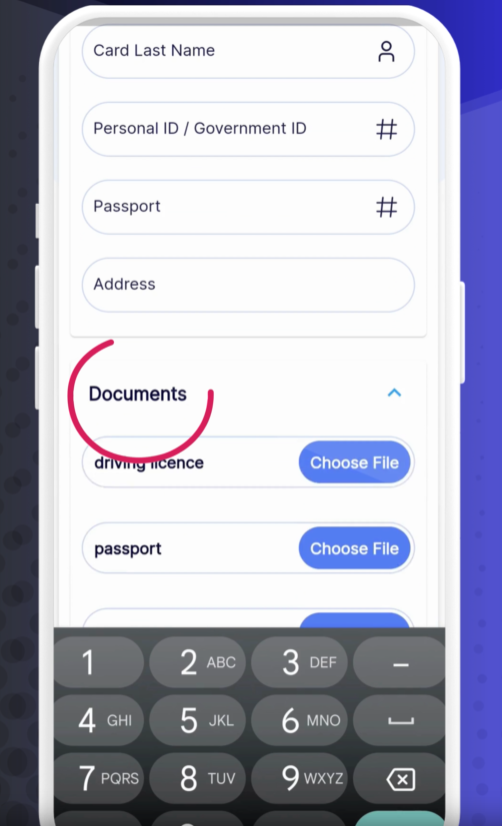
Driving License Number
Card First Name & Card Last Name
Personal/Government ID
Passport Number
Address
Documents
Tap Documents and upload required files (ID, passport, right-to-work, etc.)
Bank Details
Account Holder Name
Account Number
Bank Name
Sort Code
Taxpayer ID
IBAN / SWIFT
Save
Tap Submit to create the employee profile.
The new employee appears in the Employee list.
Tap their name to view or edit details, upload additional documents, or adjust settings.
Double-Check Emails: Ensure the email is correct to grant portal access.
Upload Clear Scans: Use high-quality images for documents to avoid rejection.
Assign Roles Carefully: Role determines what modules the employee can access.
❓ Need Help?
If you encounter any issues, visit our Help Center at desk.ehubt.io or contact your HR administrator.