🎥 Video Tutorial
👇👇
[Missing Attendance]
Quickly identify any missed clock-in or clock-out entries in the eHubt Mobile App.
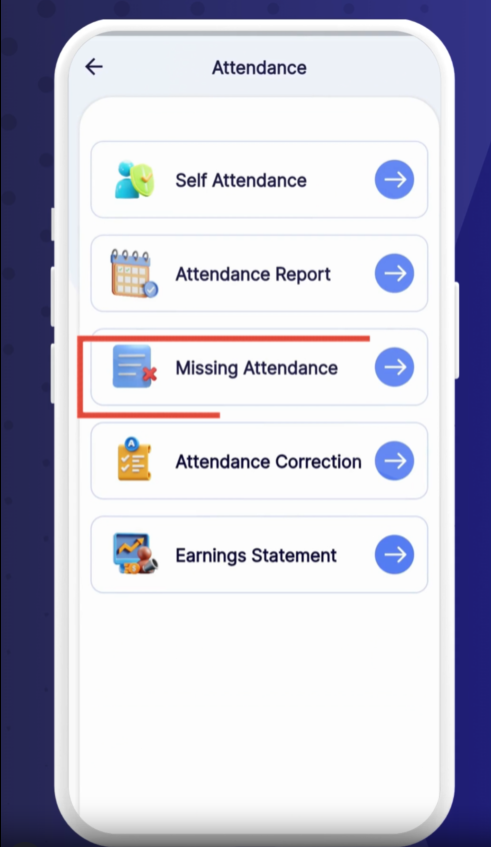
Attendance
Tap Attendance from the main menu.
Missing Attendance
Select Missing Attendance.
0:02
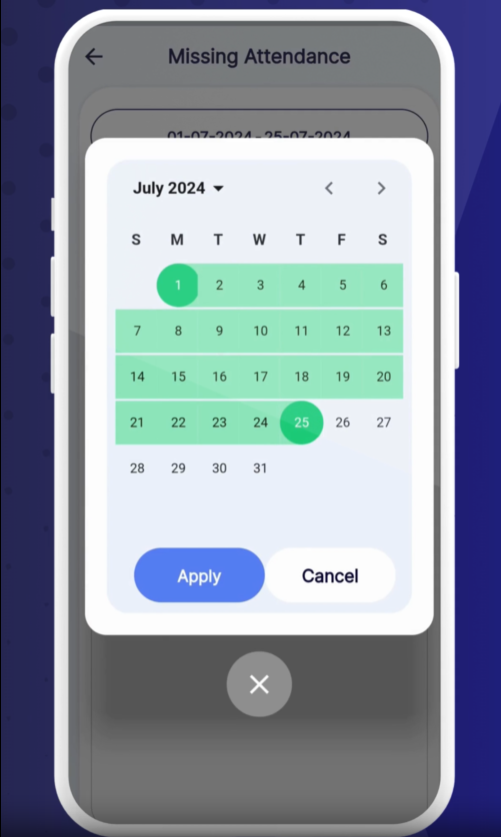
Tap the Date field to select a custom date range.
Choose your start and end dates.
0:12
Tap Apply to load the report.
Employee Name – Who missed a punch.
Tablet Name – The device they were assigned.
Date – When the punch was missed.
Clock In / Clock Out – Any recorded times (if partial).
Break In / Break Out – Break start and end times.
Missing Punch Indicator – Highlights where a punch is missing.
❓ Need Help?
If you have questions, visit our Help Center at desk.ehubt.io or contact your manager.