🎥 Video Tutorial
👇👇
[Notice board]
Stay informed with the latest announcements and updates from your managers.
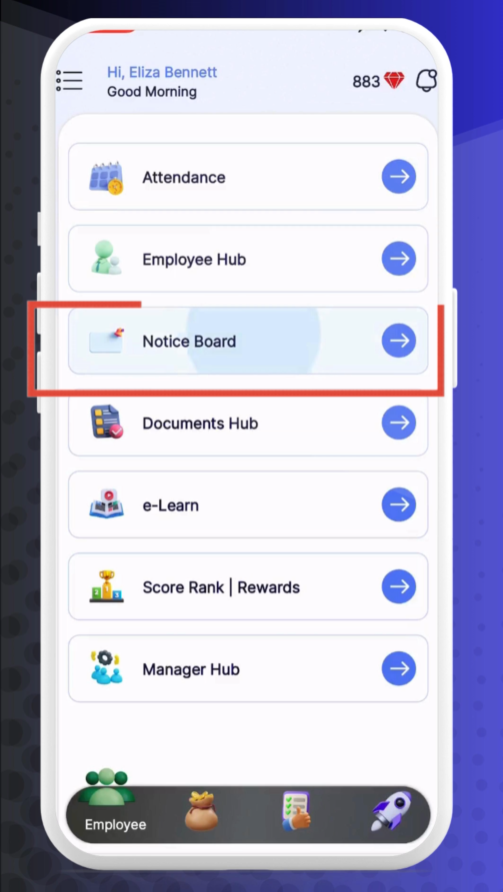
Notice Board
Tap Notice Board from the main menu.
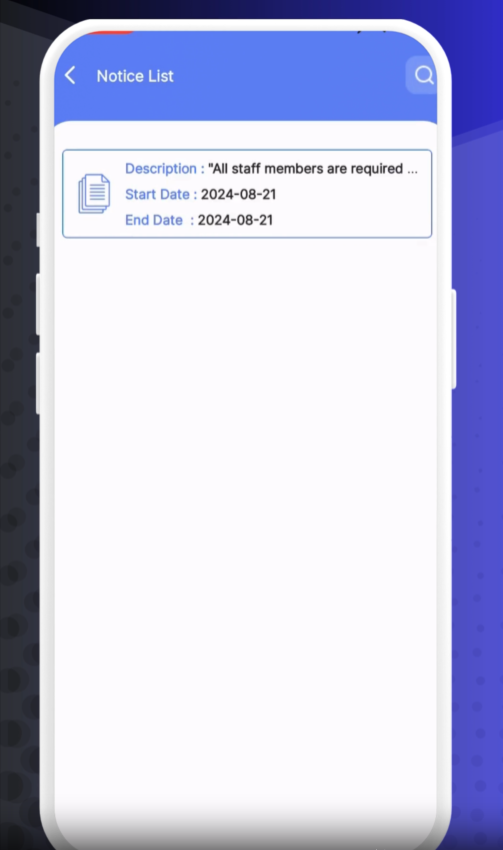
A list of all active notices, sorted by date.
Each notice shows the title, publish date, and a brief preview.
Tap any notice title to open and read the full message.
Scroll down to view any attached files or images.
Use the back arrow to return to the full list.
Refresh: Pull down on the list to fetch the latest notices.
Search: Use the search icon at the top to find specific announcements.
Favorites: Tap the star icon on important notices to bookmark them for quick reference.
❓ Need Help?
If you have questions or encounter issues, visit our Help Center at desk.ehubt.io or contact your manager.