🎥 Video Tutorial
👇👇
[Employee E-learn]
Discover and complete your assigned training directly within the eHubt Mobile App.
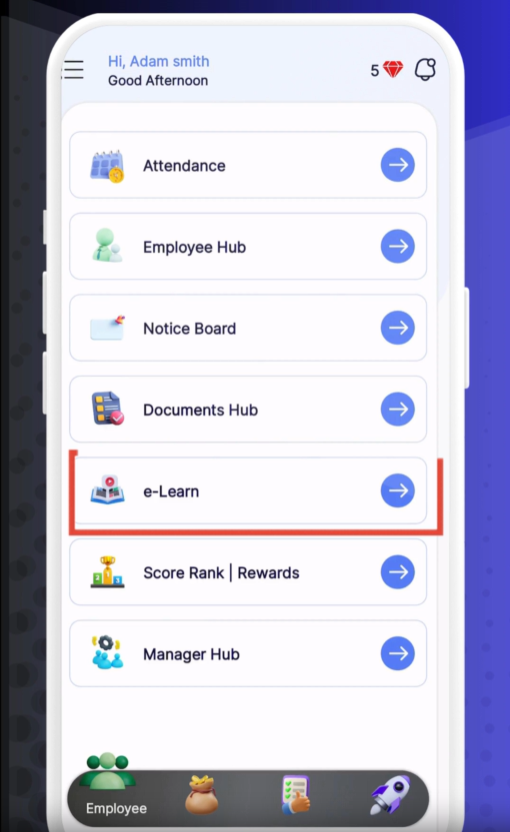
e-Learn
Tap e-Learn from the main menu.
Courses
Select Courses to open your course library.
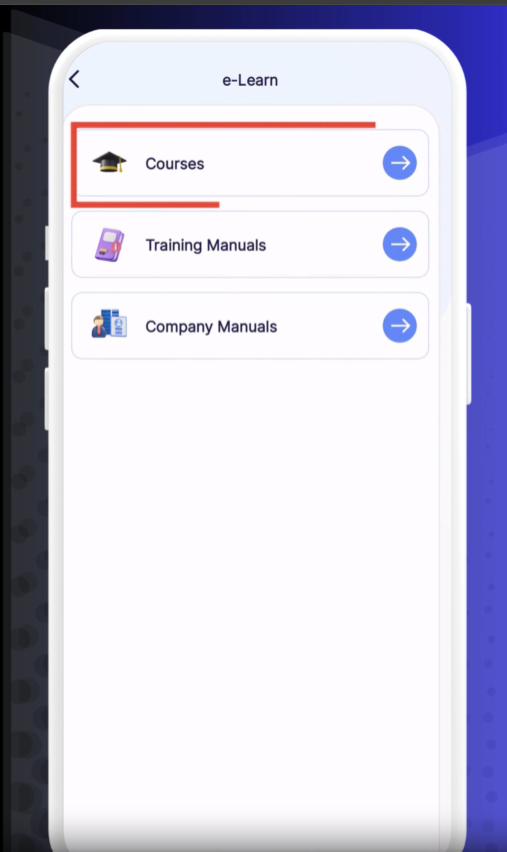
Course List
Scroll through the list to see all courses available to you.
Select a Course
Tap the course you want to take.
Course Category
On the course page, tap the Category name to view its modules.
Play
Tap Play to begin the video lesson.
Full-Screen
Use the full-screen icon to expand the video to your entire display.
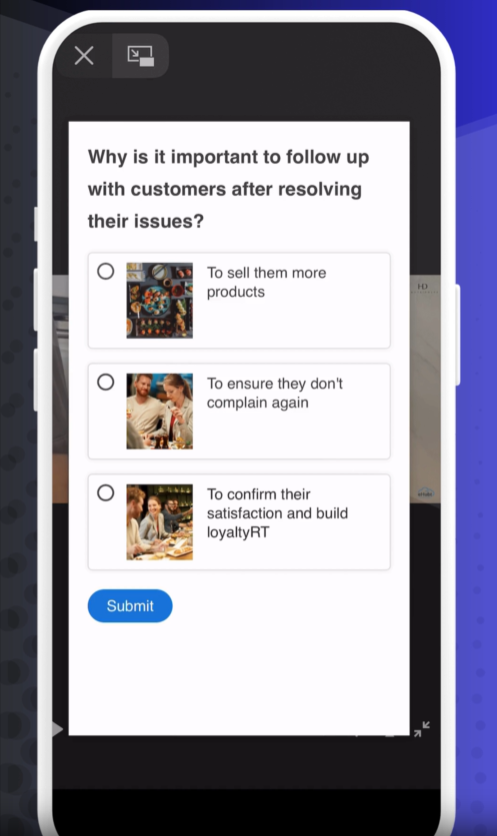
– As you watch, quiz questions will appear on-screen.
– Select the correct answer to continue.
– If your answer is incorrect, the video will rewind to the last question; try again.
– After finishing all modules, go to Certificate to download or view your course completion certificate.
– You’ll also earn Diamonds for training progress.
– Tap Training Manual to access PDF or image guides approved by your company.
– In Company Manuals, find additional resources uploaded by your organization.
❓ Need Help?
If you encounter any issues, visit our Help Center at desk.ehubt.io or contact your manager.