🎥 Video Tutorial
👇👇
[Employee Score Rank rewards]
Track your performance points and exchange them for perks in the eHubt Mobile App.
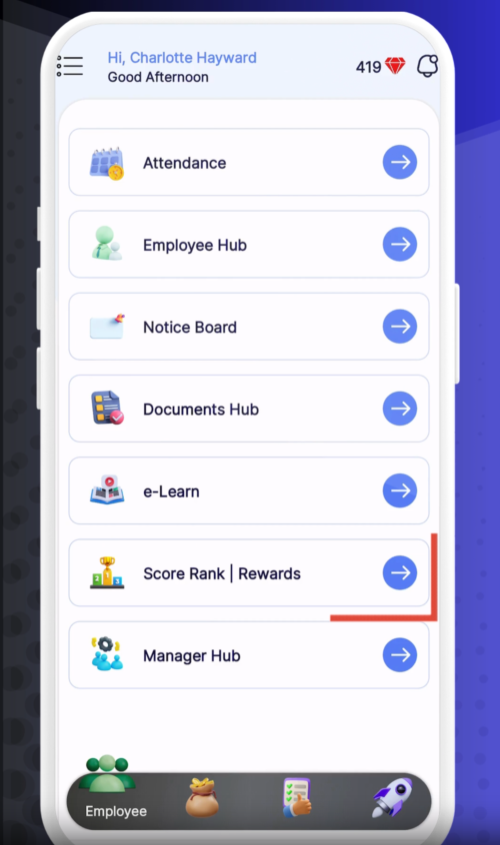
Score & Rank
Tap Score & Rank from the main menu.
Reward Section
Scroll down to the Reward section on the same screen.
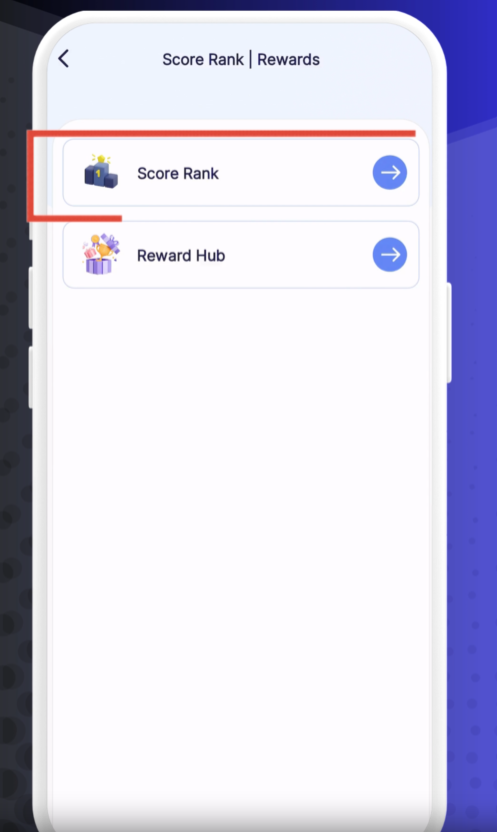
Performance Score
Displays your current KPI or task‐completion rating.
Diamonds Earned
Shows the tally of diamonds you’ve collected through tasks, checklists, and achievements.
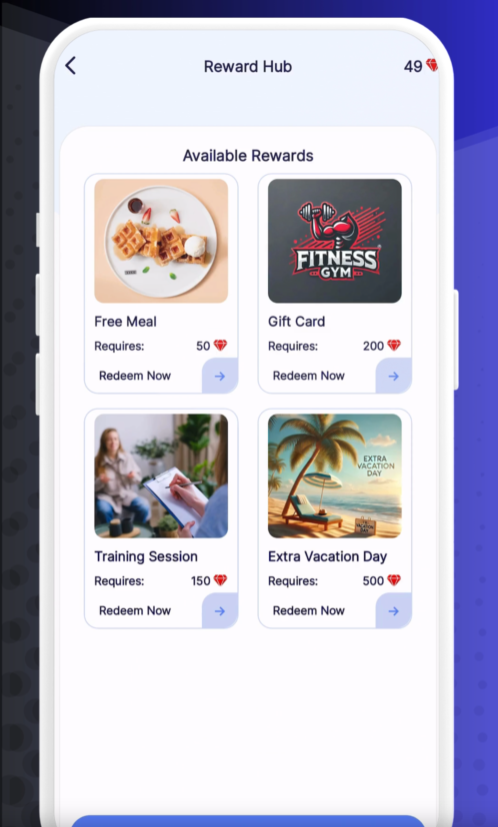
Choose a Reward
Tap the reward you’d like (for example, “Free Meal” or “Extra Vacation Day”).
Request Redemption
If you have enough diamonds, tap Request to send your redemption order.
Confirmation
You’ll receive an in-app notification confirming your request.
Pending – Your request is awaiting approval.
Approved – Your reward has been granted.
Rejected – Not enough diamonds or out of stock; check the reason and try again.
Earn More Diamonds: Complete daily checklists and exceed your KPI targets.
Plan Ahead: Review available rewards before spending your diamonds.
Check Notifications: You’ll be notified as soon as your redemption is processed.
❓ Need Help?
If you have any questions or encounter issues, visit our Help Center at desk.ehubt.io or contact your manager.