🎥 Video Tutorial
👇👇
[Advance Salary]
Quickly request a portion of your salary before payday using the eHubt Mobile App.
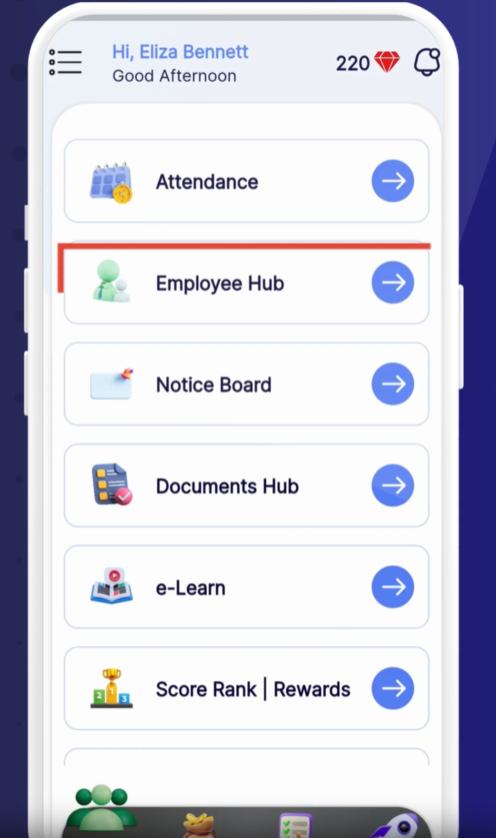
Employee Hub
Tap Employee Hub from the main menu.
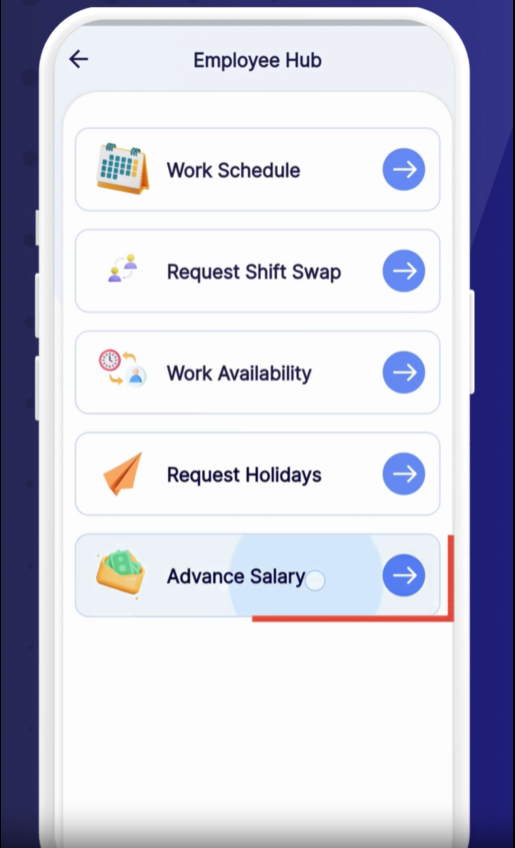
Advance Salary
Select Advance Salary.
0:00
Tap the + (plus) icon to start a new advance request.
0:02
Tap Advance to open the request form.
0:04
Enter the Advance Amount you need.
0:07
Select the Duration, such as one-time or recurring.
0:10
Choose your Start Date for the advance.
0:12
Tap Apply to submit your request.
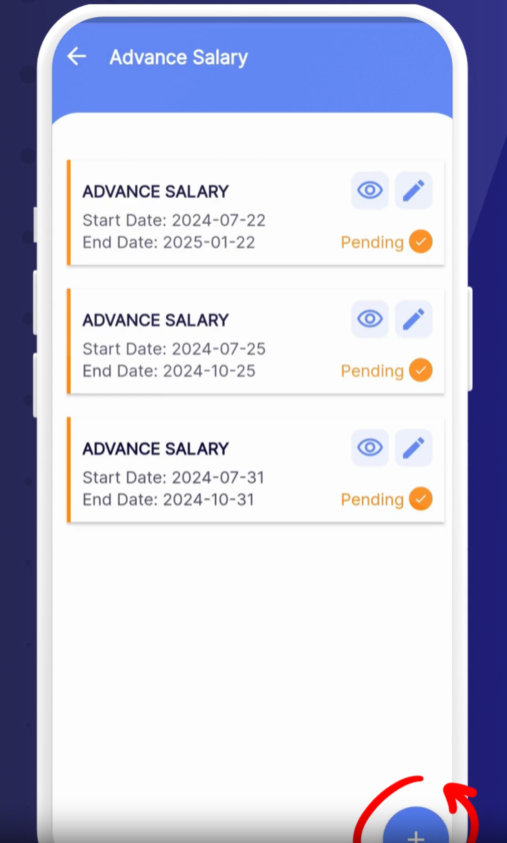
Pending Requests
Your new advance appears under “Pending.”
Processed Requests
Once approved or rejected by payroll, the status updates accordingly.
Check Your Balance: Review your remaining advance allowance before requesting.
Submit Early: Allow time for approvals before your pay date.
View History: Scroll through past advances to track repayments.
❓ Need Help?
If you have questions or issues, visit our Help Center at desk.ehubt.io or contact your manager.