🎥 Video Tutorial
👇👇
[Request Holidays]
Easily request time off in the eHubt Mobile App.
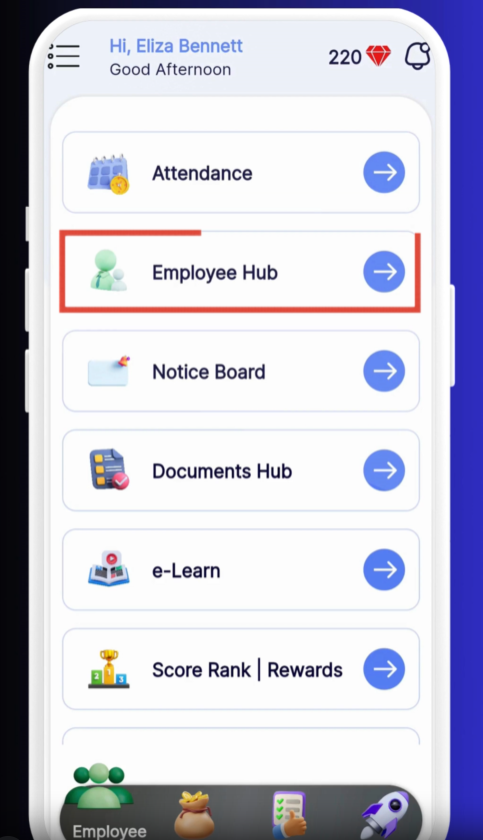
Employee Hub
Tap Employee Hub from the main menu.
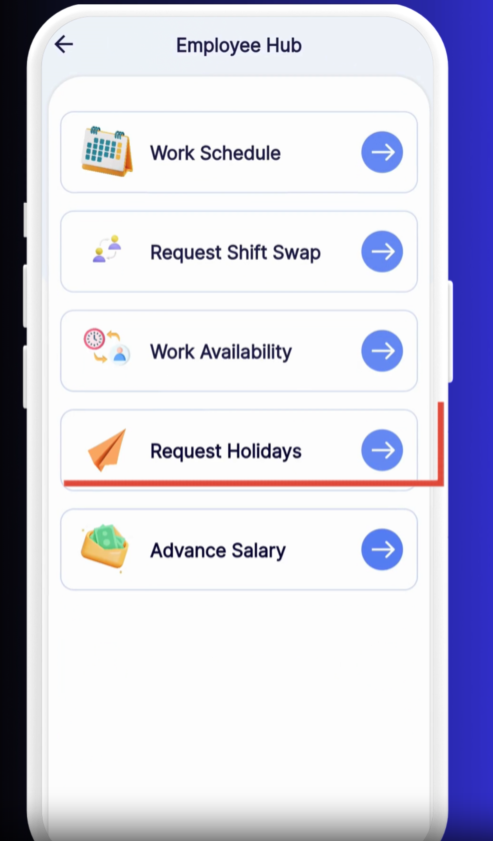
Request Holidays
Select Request Holidays.
New Request
Tap the + (plus) icon to start a new holiday request.
Select Leave Type
Choose the type of leave (e.g., Annual Leave, Sick Leave).
Set Dates
Pick your Start Date and End Date for the leave period.
Add Reason
Enter a brief note explaining why you’re requesting time off.
Apply
Tap Apply to submit your request.
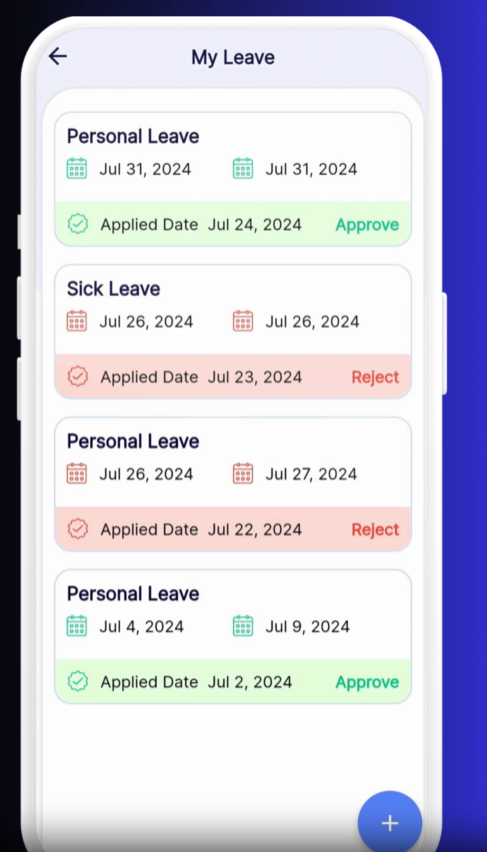
Pending Requests
Your new request appears under “Pending.”
Approved or Rejected
Once processed by your manager, the status updates to Approved or Rejected.
Plan Ahead: Submit holiday requests at least two weeks in advance.
Check Balances: Review your leave balance before requesting.
Edit or Cancel: Tap a pending request to modify or withdraw it.
❓ Need Help?
If you encounter any issues, visit our Help Center at desk.ehubt.io or contact your manager.