🎥 Video Tutorial
👇👇
[Work Availability]
Easily let your manager know when you’re available to work using the eHubt Mobile App.
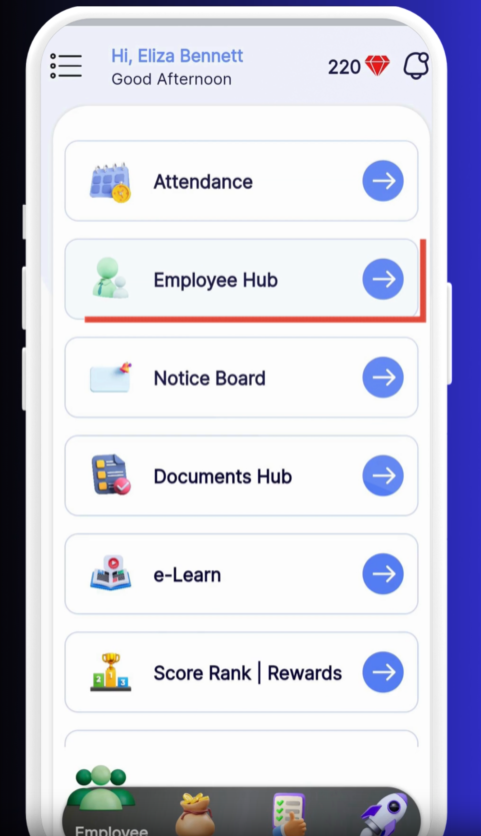
Employee Hub
Tap Employee Hub from the main menu.
Work Availability
Select Work Availability.
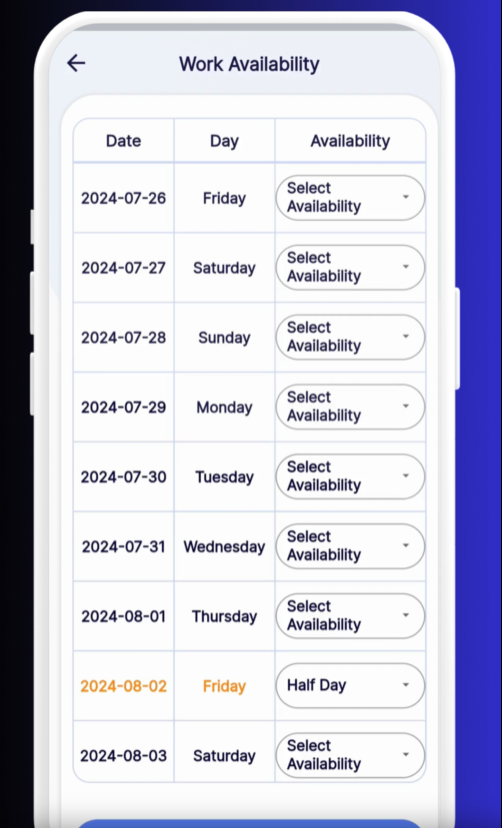
Choose a Day
Tap the date you wish to update.
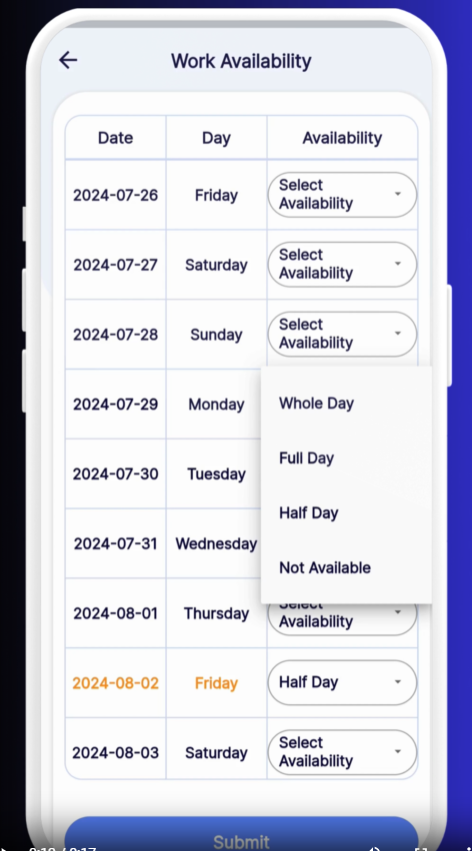
Select Your Status
Unknown
Whole Day
Full Day
Half Day
Not Available
Submit
Tap Submit to save your availability.
Unknown days remain unhighlighted until set.
Whole Day indicates full availability.
Full Day marks you available all day.
Half Day shows half-day availability.
Not Available blocks off days you cannot work.
Swipe Between Weeks: Left or right on the calendar to navigate by week.
Tap for Details: Tap any day to change your status or add notes.
Bulk Edit: Press and drag across multiple days to apply the same status quickly.
❓ Need Help?
If you encounter any issues or have questions, visit our Help Center at desk.ehubt.io or contact your manager.