The Job Stage section helps HR teams manage and customize the hiring pipeline stages for each job application. This allows clear tracking of where a candidate stands during the recruitment process.
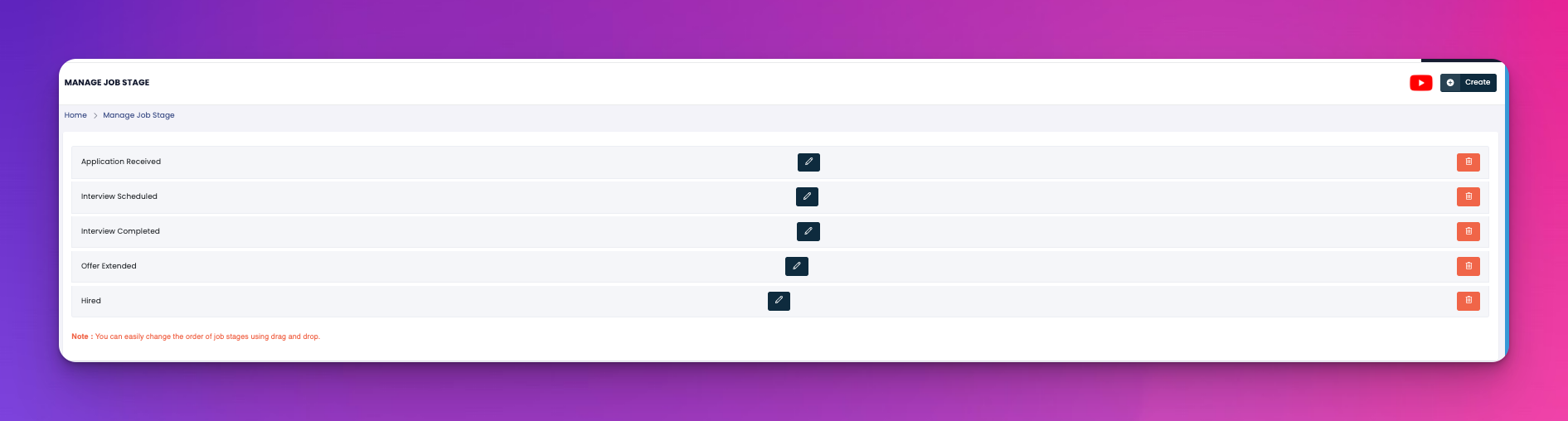
Define each step of your hiring process
Edit or reorder job stages via drag-and-drop
Remove stages that are no longer part of your hiring workflow
Stage Name – Label for each hiring step (e.g., Application Received, Interview Scheduled)
Edit – ✏️ Modify stage name
Delete – 🗑️ Remove the stage
You can easily change the order of the job stages to match your preferred sequence. Just click and drag any stage up or down.
Keep stage names clear and concise for easier status tracking
Use this sequence to automate emails or internal updates later
Align your job stages with your Interview Process SOP to avoid confusion