The Branch section allows you to manage your organization's locations along with their associated departments and designations. This is essential for structuring multi-location operations and assigning employee roles effectively.
This screen displays a list of all branches along with:
Department lists associated with each branch
Quick-access buttons to manage departments and designations
Edit and delete options for each branch
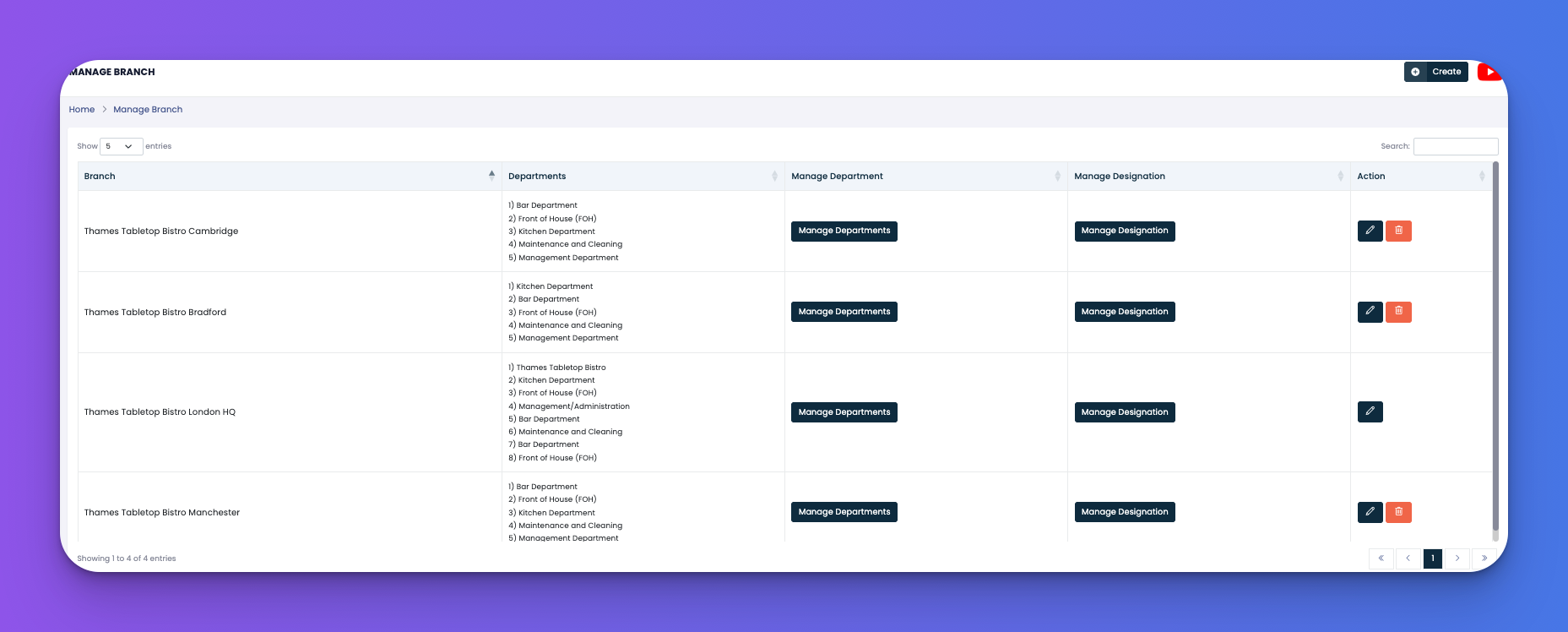
View all registered branches in your system
See departments assigned to each branch
Manage departments and designations branch-wise
Edit or delete branch records
Branch – The name of the location (e.g., Thames Tabletop Bistro London HQ)
Departments – All departments under that branch, listed in order
Manage Department – Opens the department manager for that branch
Manage Designation – Opens designation management for the selected branch
Action –
✏️ Edit branch details
🗑️ Delete branch (only if not linked with active employees)
Keep branch names standardized for easy reporting
Regularly update department lists as your team structure evolves
Ensure each branch has correct department/designation mapping for accurate role assignments