The Taxable Salary section helps HR and payroll teams manage salary-related tax data, including increments and final taxable salary calculations.
This section allows you to:
View employees’ taxable base salary
Add salary increments
Automatically calculate Net Taxable Salary
Update and save records individually
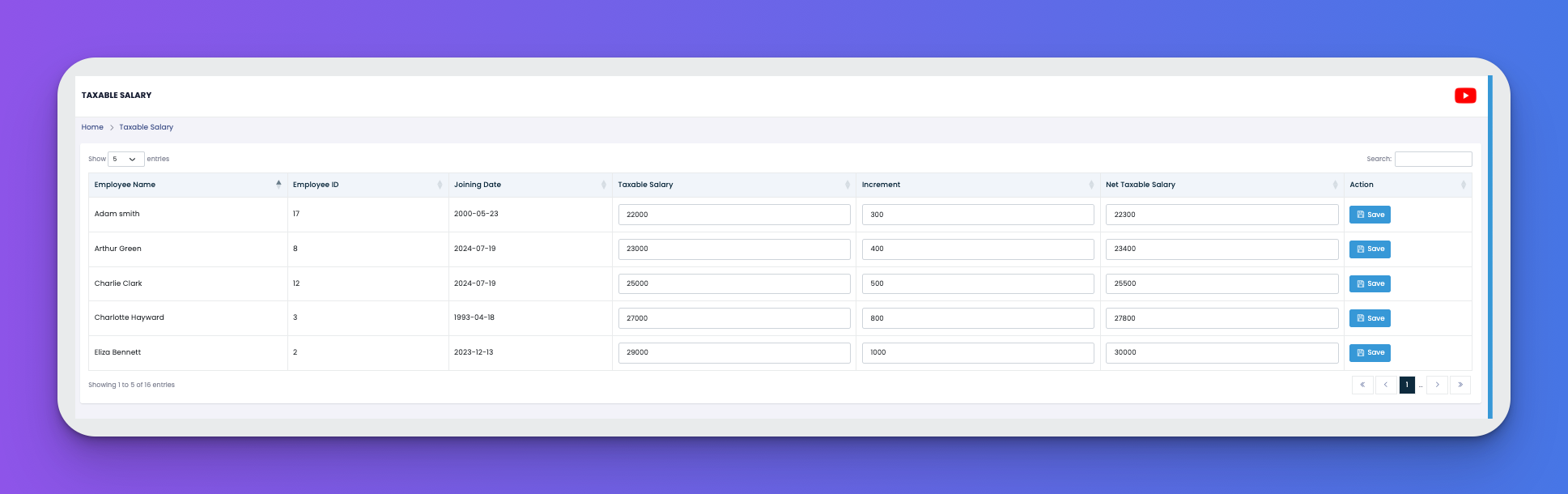
Each row represents an employee and includes:
Employee Name
Employee ID
Joining Date
Taxable Salary – Base salary considered for tax
Increment – Additional salary added (e.g., bonus or performance-based raise)
Net Taxable Salary – Auto-calculated total = Base + Increment
Once adjustments are made, click the 💾 Save button next to each employee to apply changes.
Use this feature at the end of each pay period to adjust final taxable income.
Make sure increments are compliant with internal HR and tax policies.
If no increment is added, the base salary is used as the net taxable amount.